Daily Assignment by Crew:
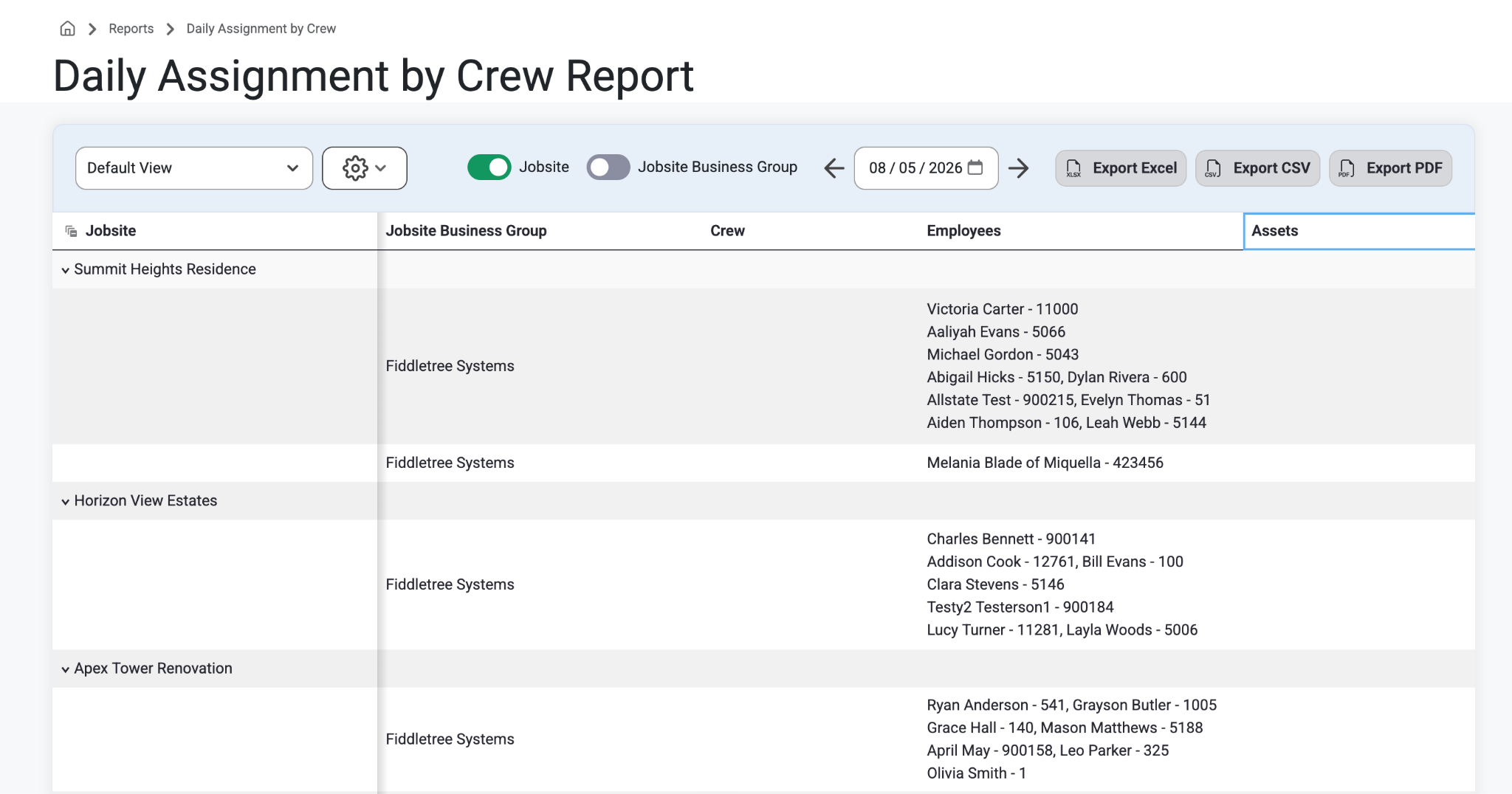
On the Daily Assignment by Crew Report, users can view all crew assignments for any specified day. This data is ordered by Jobsite. Users can click into each jobsite to see the crews and crew members assigned to each job.
How To:
Select ‘Reports’ from the top navigation bar.
Select ‘Daily Assignment by Crew’ from the drop-down menu.
Users will see an expandable grid list of Jobsites, Business Groups, Crews, Employees, and Assets.
Search and Filter by Date with the toggles above, or share via the Export buttons (Excel, CSV,PDF)
Jobsite
Users can expand this field to see all jobsites assigned for the selected day by clicking the collated boxes next to ‘Jobsite’. Use the drop down arrows to expand for more information and details.
Jobsite Business Group
Users can expand this field with the arrow to see all jobsite business groups listed under the selected jobsite for the selected day.
Crew
Users can expand this field with the arrow to see all crews assigned to each job.
Employees
Users can expand this field with the arrow to see all employees assigned to the job and applicable crews.
Assets
Users can expand this field with the arrow to view all assets assigned to the job and applicable crews.
Was this article helpful?
That’s Great!
Thank you for your feedback
Sorry! We couldn't be helpful
Thank you for your feedback
Feedback sent
We appreciate your effort and will try to fix the article