Reports>Labor Forecast
Purpose: Labor forecast report is where users can view employee counts and compare them to employee requests in the system. The bar chart and table values are shown by week and opportunities can be seen at the top for easy filtering.
How to: Navigate to Reports>LaborForecast from the top navigation bar.
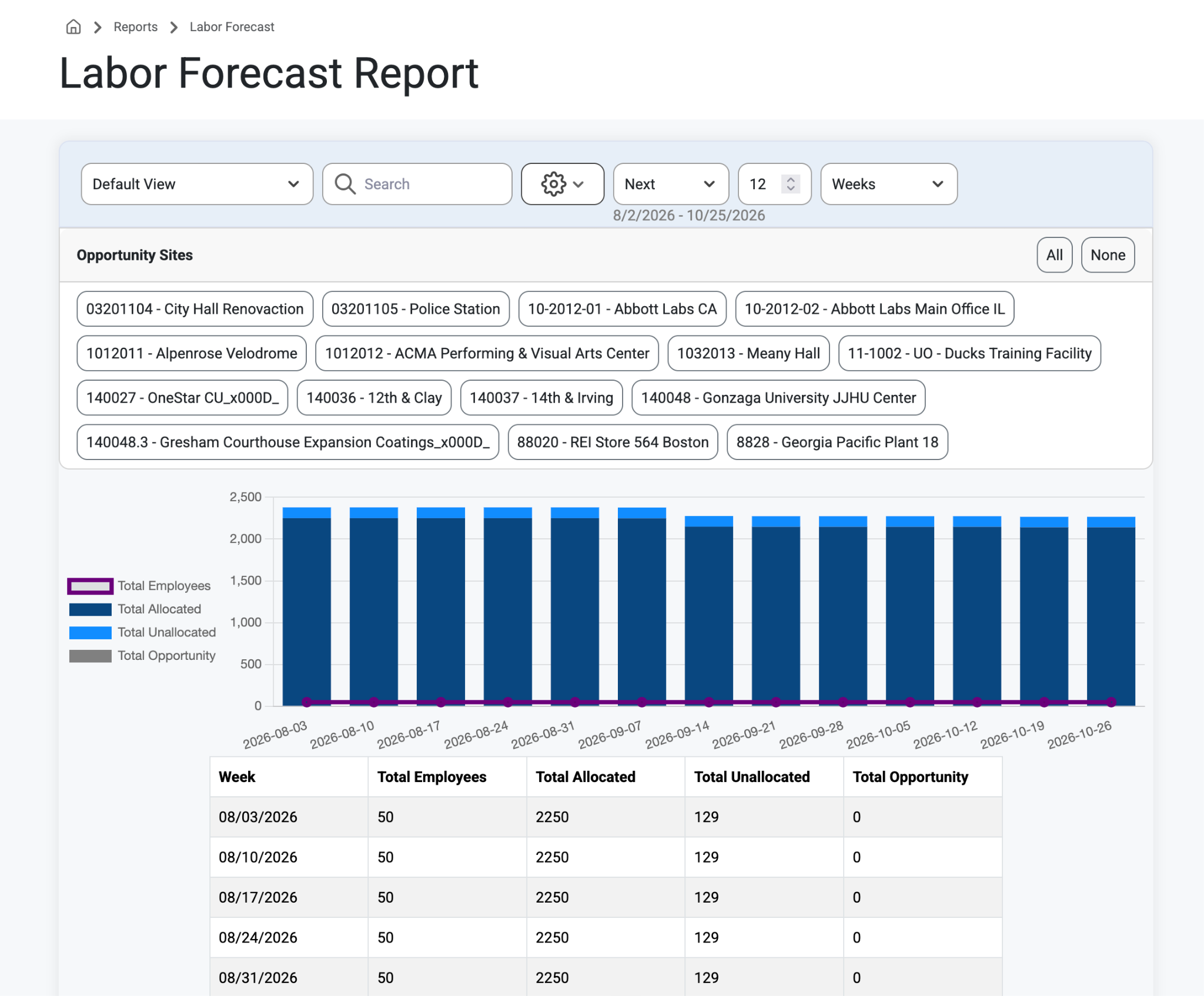
The purple line is the total employee count that has been designated for long-term assignments.
The total bar number is the sum of all opportunity requests, all job-allocated requests, and all job unallocated requests.
This means if the bar is above the employee line it means you have more requests than employees available.
If the bar is below the line it means you have less requests than employees, meaning you may want to start bidding on new projects so you have more work to do in the future.
By using the filters customers can do scenario planning on opportunities to see if they have enough resources if only specific opportunities are awarded as projects.
Organize and filter the view by Resource Type (Schedule, Employee, Crews, Mechanical, Project Manager, etc..)
Was this article helpful?
That’s Great!
Thank you for your feedback
Sorry! We couldn't be helpful
Thank you for your feedback
Feedback sent
We appreciate your effort and will try to fix the article