Utilization:
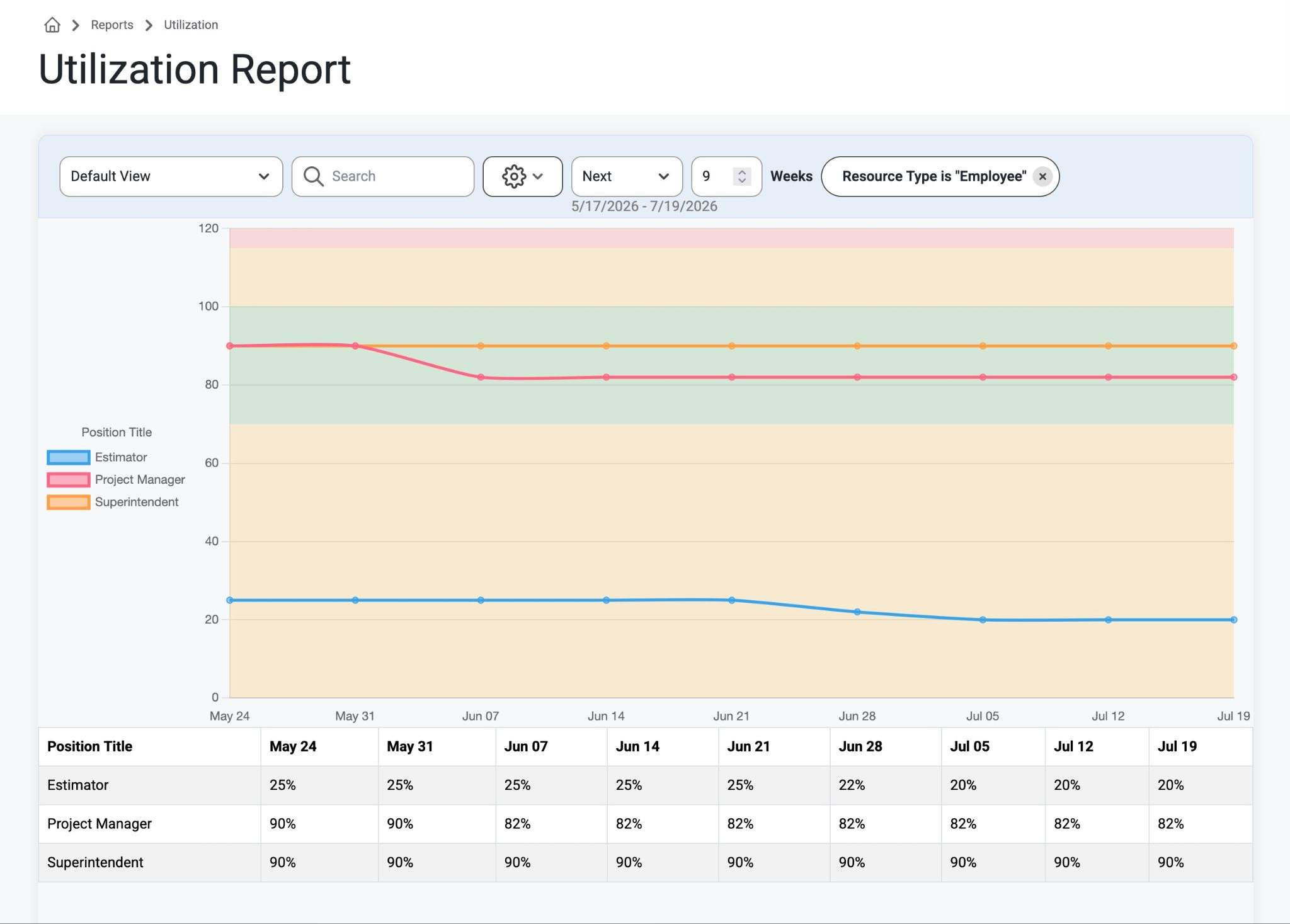
Purpose: The utilization report shows how allocated your employees are by position and by week. A 100% utilization would indicate that all employees within that position are 100% allocated to assignments. A 0% would indicate that all of your employees with that position are unassigned. Report columns are organized by week.
How to: To view, navigate to Reports>Utilization from the top navigation bar.
The graph and chart will show and compare percentages of utilization on a particular date with the corresponding position title or job.
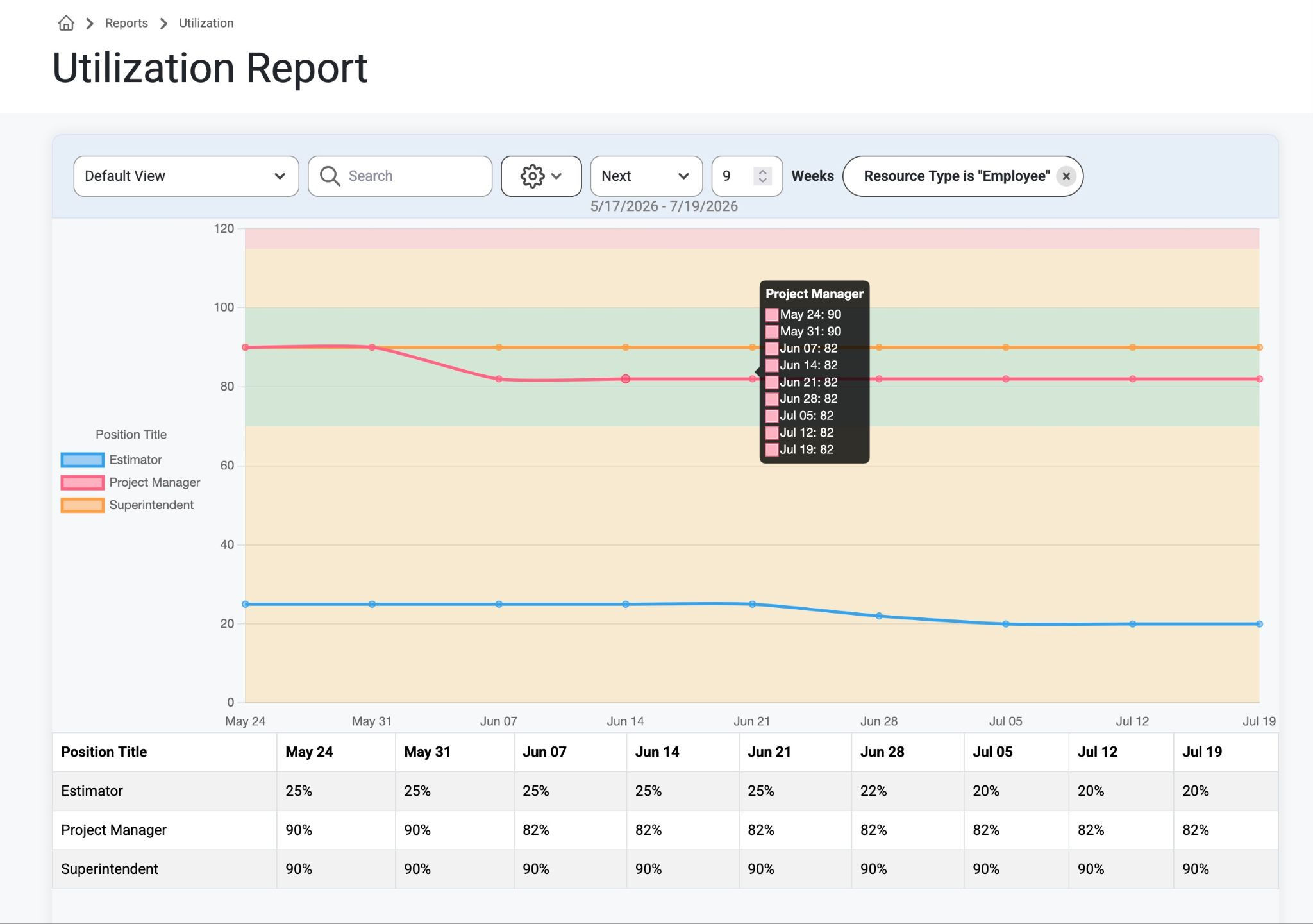
Hover over the position on the graph to see details by week.
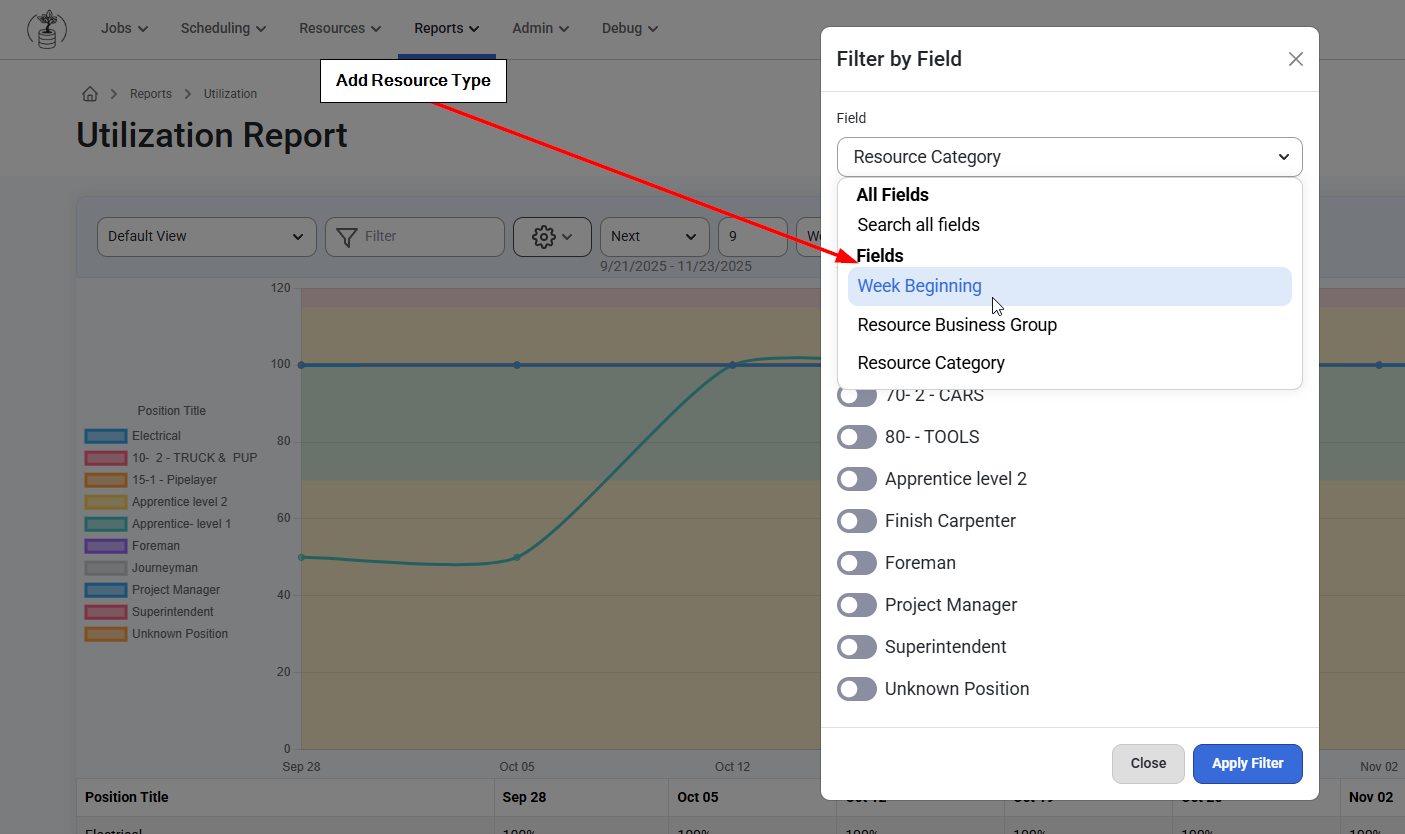
From here managers can use the provided search and filter bars to adjust settings.
Notice the Filter options include Resource Types and Fields.
Was this article helpful?
That’s Great!
Thank you for your feedback
Sorry! We couldn't be helpful
Thank you for your feedback
Feedback sent
We appreciate your effort and will try to fix the article