Reports> Daily Assignment:
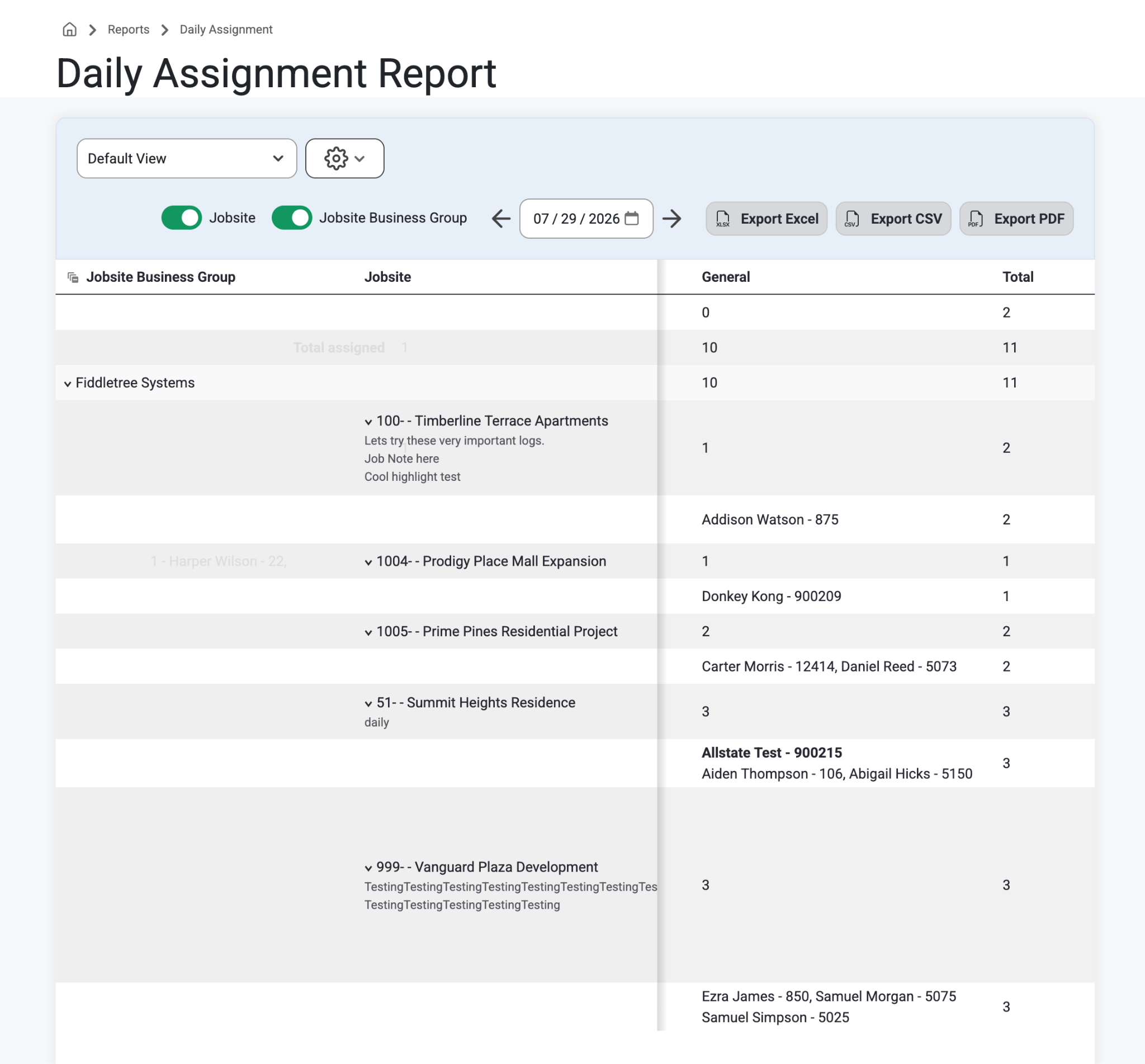
The Daily Assignment Report allows you to view all employees who are assigned to a job for any day. The assignment data can be grouped by Jobsite Business Group and Jobsite, allowing you to easily navigate through the report. Project Managers will appear next to the job they are assigned to and you can click into the job to view all other employees who are assigned.
How To:
Select ‘Reports’ from the top navigation bar and select “Daily Assignment” from the drop-down menu.
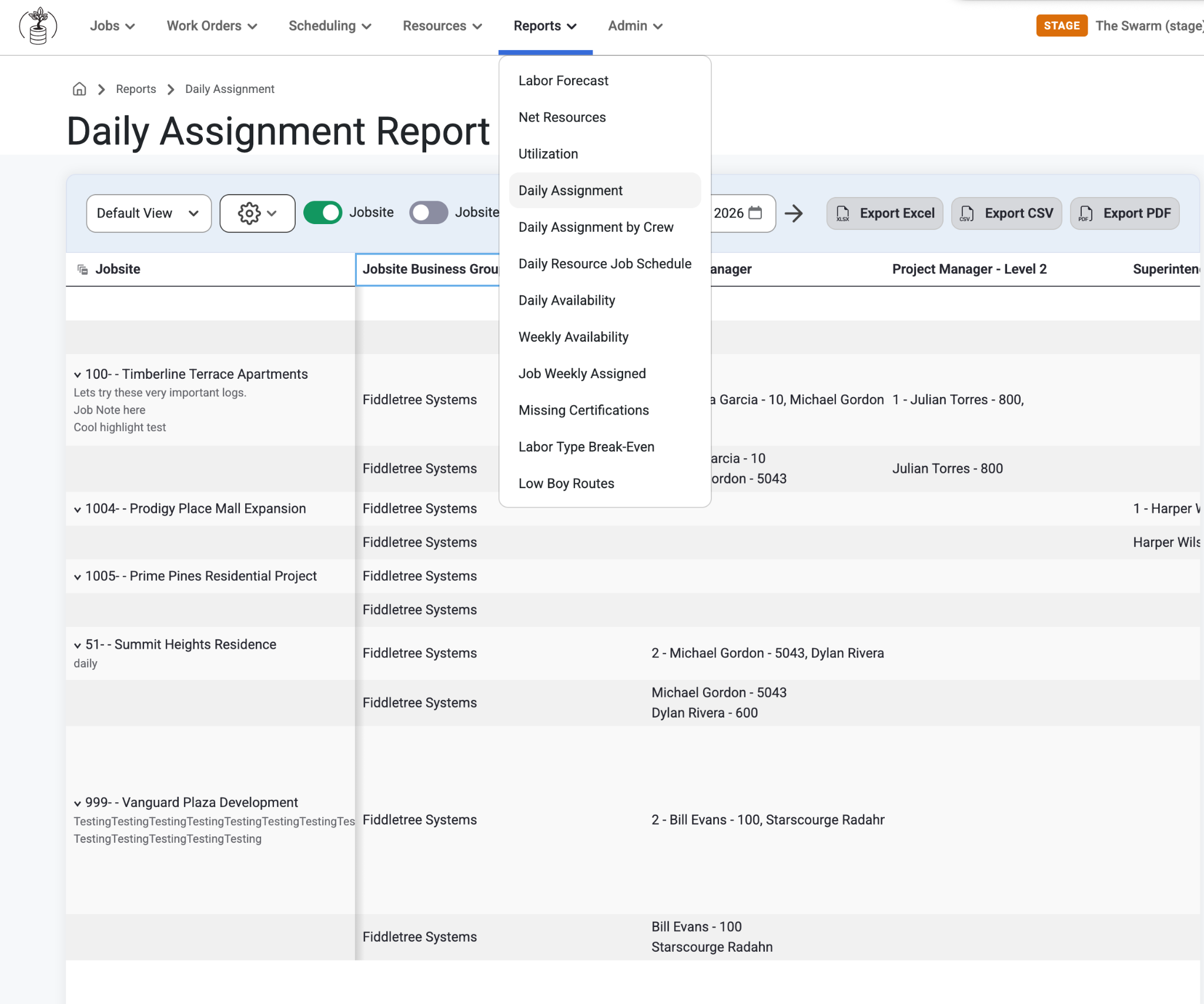
From here users can explore the following columns:
Jobsite Business Group
Users can expand this field to see all jobs listed under the selected business group.
Jobsite
This column is sortable by clicking on the arrow on the right of the Jobsite column.
Users can expand this field to see all employees assigned to this job for the selected day.
Job Notes will appear under each jobsite for each Jobsite Business Group. Job Notes can be created 2 ways:
Navigate to Scheduling>Daily Scheduling. Select the 3 dots on a Jobsite and a slide-out to the right will allow users to create a customized Note.
Navigate to Jobs>Jobs List> Detail>Notes. Type a note and select ‘Save Changes.’
Resource Business Group
If applicable these will show under each related Jobsite.
Project Manager(s)
Next to each job, the project manager(s) assigned to each job will appear. This allows easy viewing for who is leading each job.
Includes Level 2 PM
If an employee is marked as the Lead in Daily Scheduling, their name will appear at the top of the list in bold.
Superintendent
Shows the superintendent of that jobsite
Labor Type Description
Shows the labor type for the jobsite business group like Electrical, General, etc
Total Assigned
This line shows how many laborers are assigned for the day.
This field is broken up by Labor Type, with the total at the end.
Total Workers
This line will show you the total number of workers, both assigned and available.
This field is also broken up by Labor Type, with the total number of workers at the end.
Available Workers
Can be seen on Global Labor Forecasts and Daily Scheduling
Assigned Work Orders
Can be seen on Global Labor Forecasts and Daily Scheduling
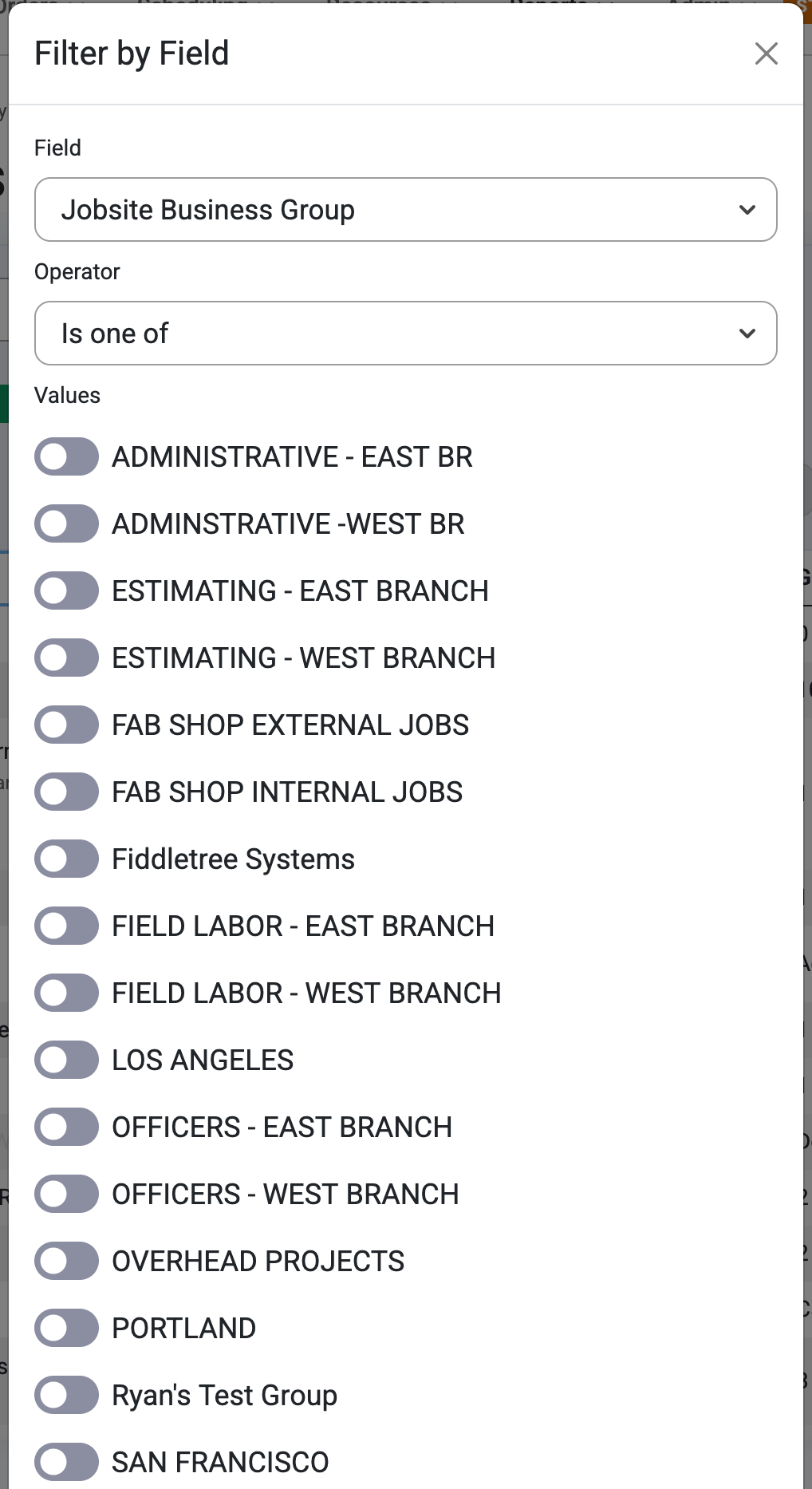
Option to create custom views and Save custom sorts to Views and Filter by Field.
Was this article helpful?
That’s Great!
Thank you for your feedback
Sorry! We couldn't be helpful
Thank you for your feedback
Feedback sent
We appreciate your effort and will try to fix the article