Daily Availability
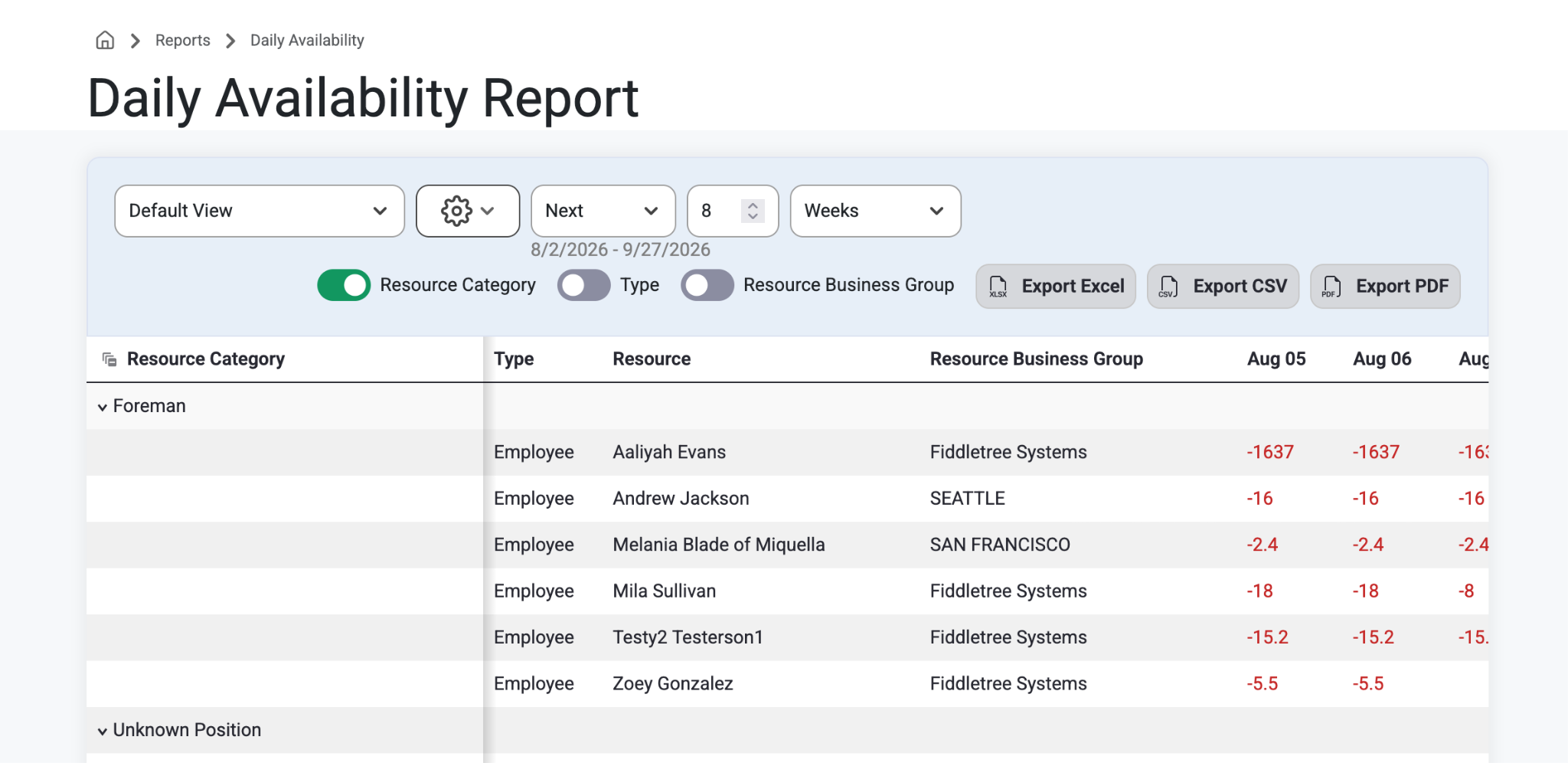
This report shows the number of hours each resource is available for each day. Users can use the toggles at the top of the page to break up the data by:
Resource Category
Resource Type
Resource Business Group
The data on this report can also be filtered to show specific
Resource Types
Resource Categories
Resource Business Groups
Names and any range of dates by day
How To:
Select ‘Reports’ from the top navigation bar.
Select ‘Daily Availability’ from the drop-down menu.
From here, users can explore toggles and specific categories.
This report is used to see which employees are not assigned for any work to do. The number shown each day is the number of hours those employees have available to be assigned.
Was this article helpful?
That’s Great!
Thank you for your feedback
Sorry! We couldn't be helpful
Thank you for your feedback
Feedback sent
We appreciate your effort and will try to fix the article