Sometimes the auto sync will stop running based on the excel options setup.
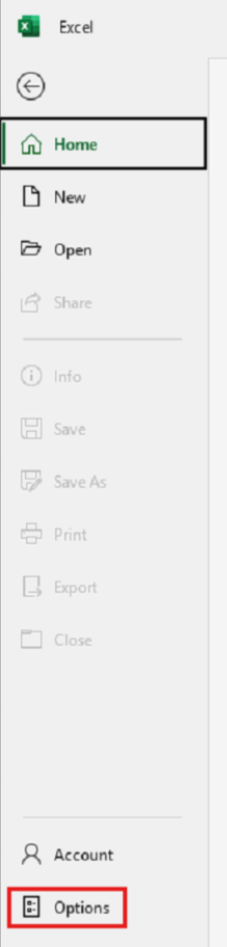
Go to the Excel Options:
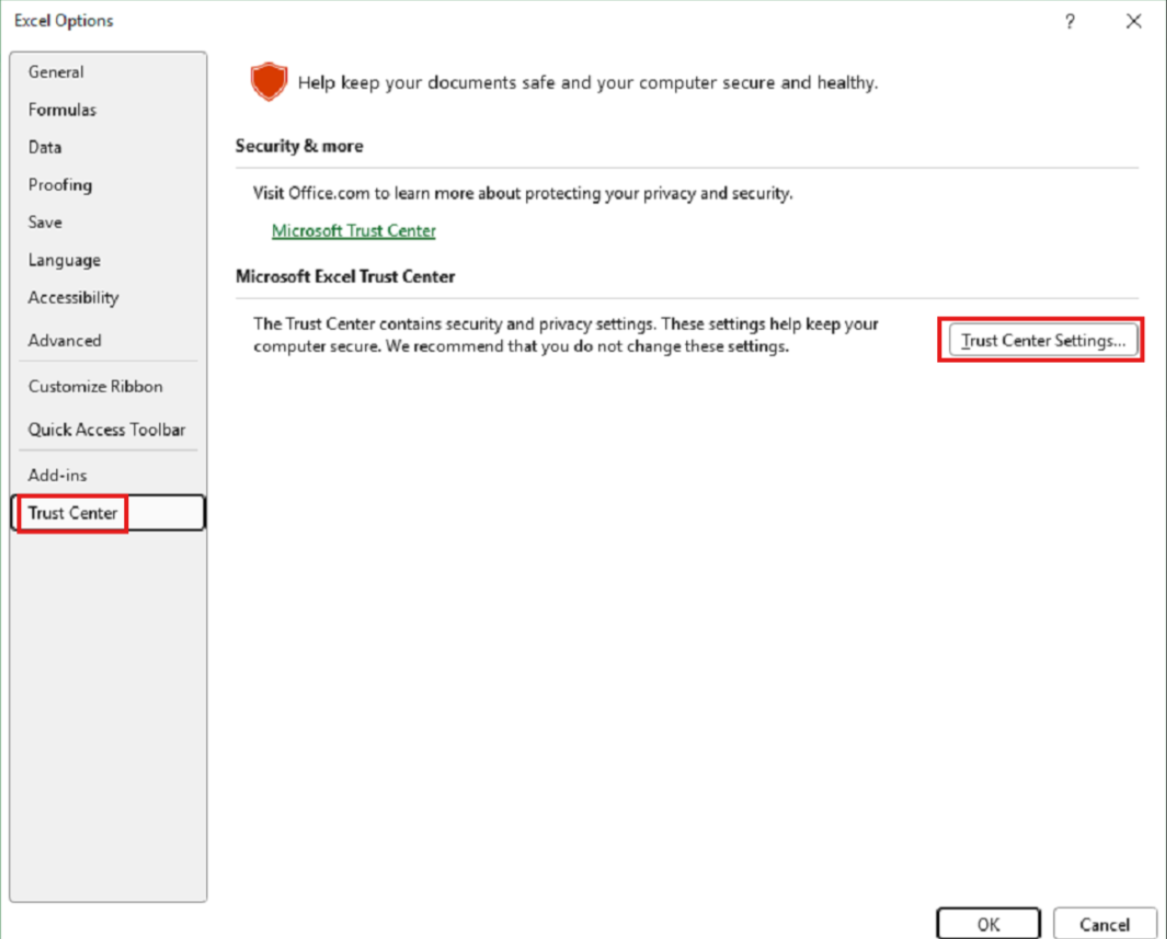
Then go to the Excel Options > Trust Center:
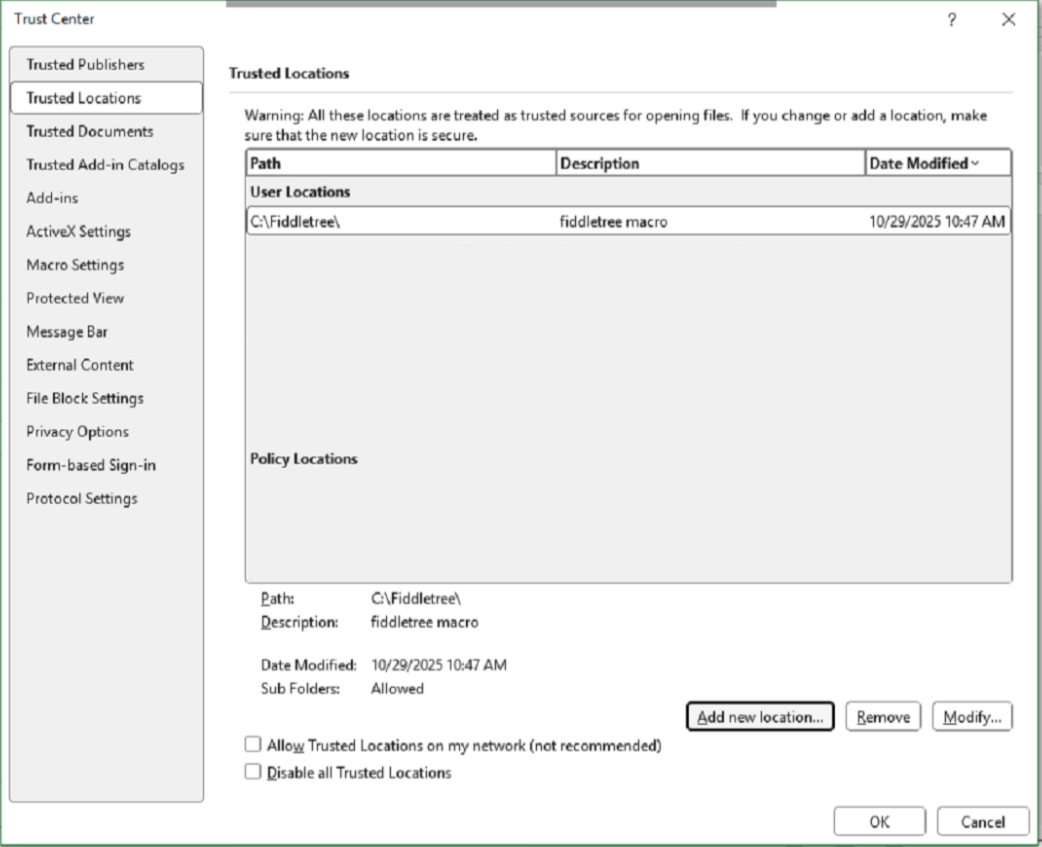
Then go to Trusted Locations > and "Add new location..." to the Resource Planning Import folder that contain the files for the Vista integration:
Make sure to select the correct file path and to enable the setting Subfolders of this location are also trusted:
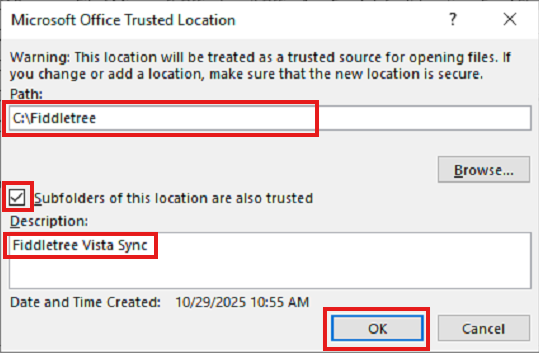
Then hit OK and OK again.
Was this article helpful?
That’s Great!
Thank you for your feedback
Sorry! We couldn't be helpful
Thank you for your feedback
Feedback sent
We appreciate your effort and will try to fix the article