Jobsite>Contract Items
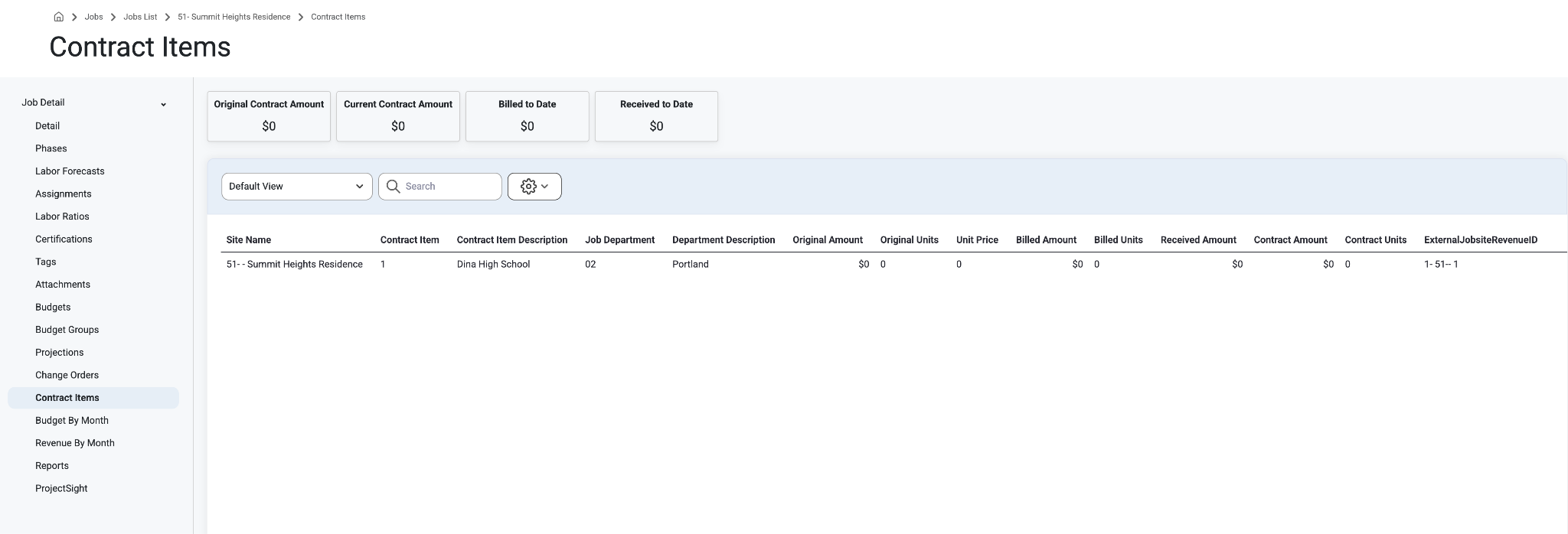
Contract Items will show Revenue Items from the contract for any specific Job. This will not affect users at all until a new category with a Contract Items template is created.
To View Contract Items, first select ‘Jobs’ from the top left menu bar, select ‘Jobs List’ from the drop down menu.
Select any job and navigate to the ‘Contract Items’ page.
This page will only be available to user with Can View Sensitive permissions for Job records
These are the contract items that were pulled from the accounting system.
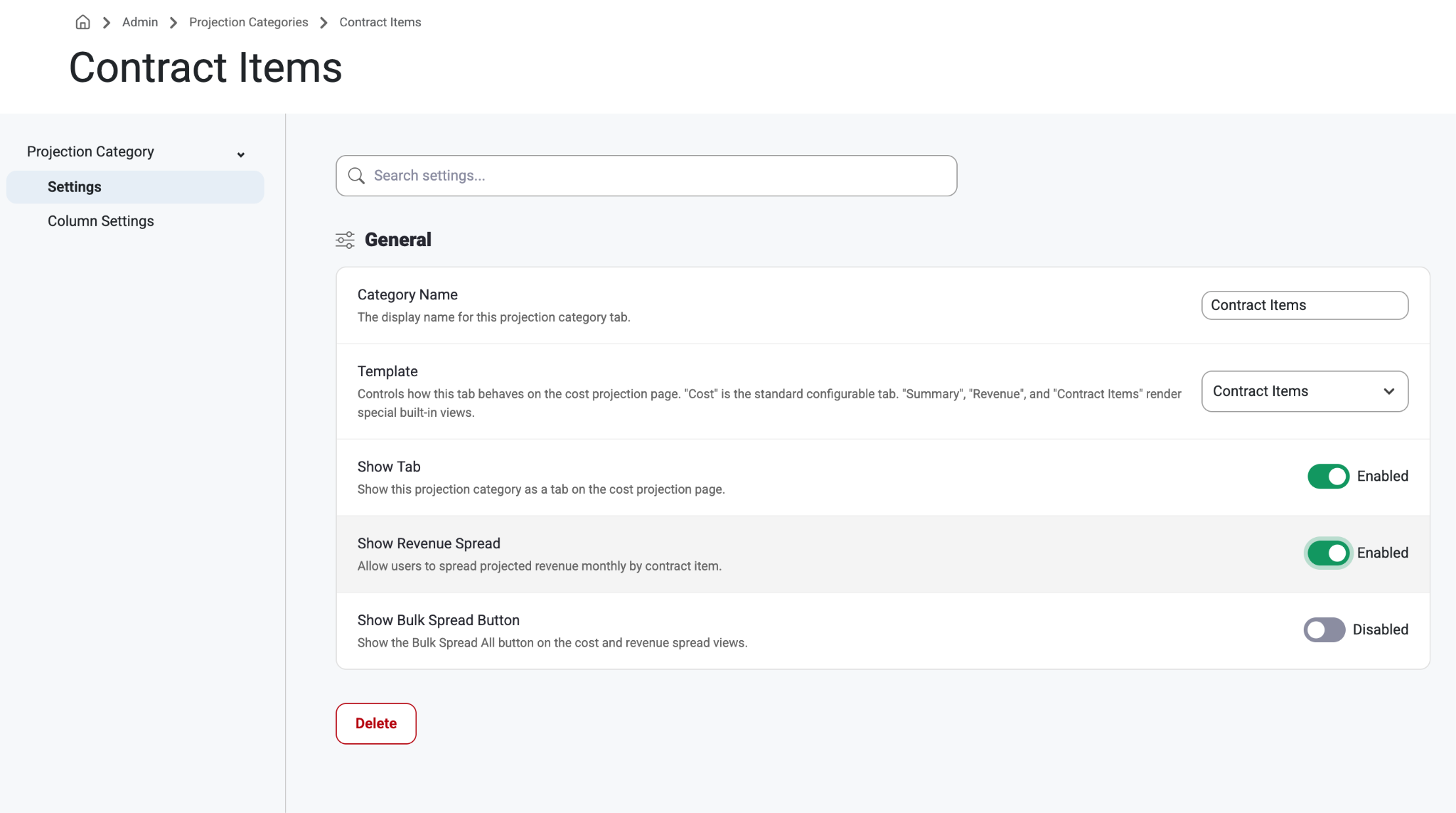
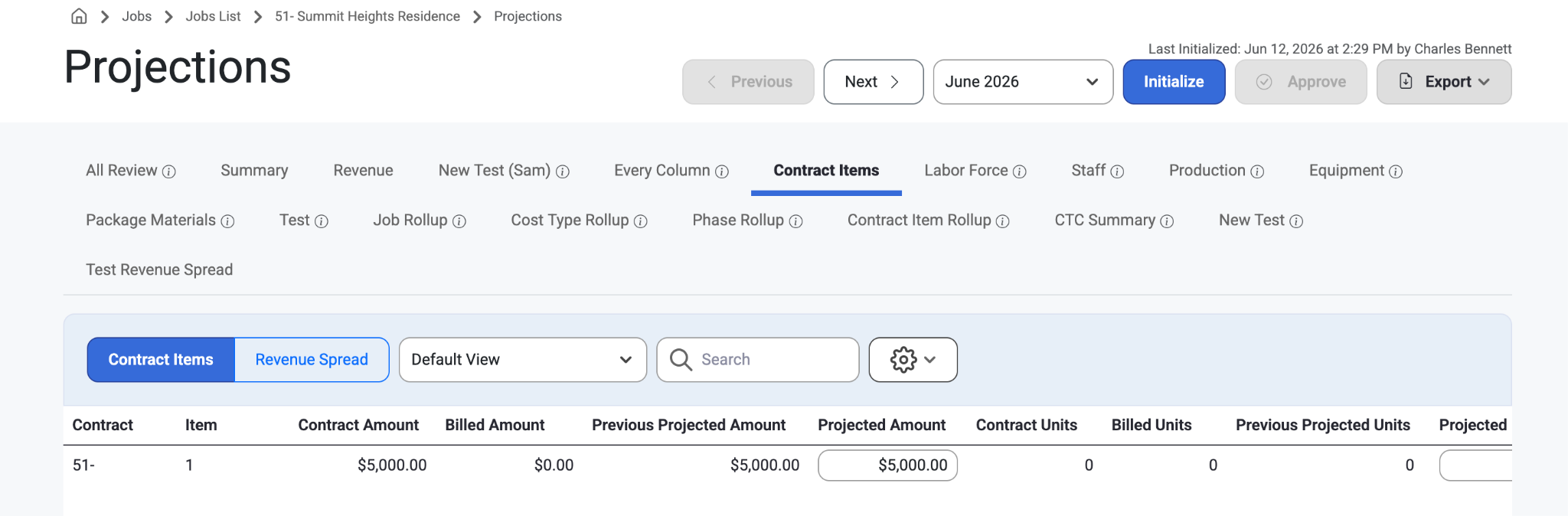
Show Revenue Spread option:
Allow users to spread projected revenue monthly by contract item.
This setting is Disabled by default. Tenant admins can Enable this via Projection Setup.
Read about it, here: Projection Setup
Admin>Projection Setup Page View
Jobsite>Contract Items Page View
Jobsite>Projections when Contract Item Revenue Spread is ‘Enabled’ Page View
Was this article helpful?
That’s Great!
Thank you for your feedback
Sorry! We couldn't be helpful
Thank you for your feedback
Feedback sent
We appreciate your effort and will try to fix the article