To view, select ‘Resources’ from the top navigation bar and select ‘Employee History’ from the drop-down menu. This is a grid list of searchable/filterable:
Employees
Position Titles
Job numbers
Assigned Site names
Begin/End dates, Tags, and Notes.
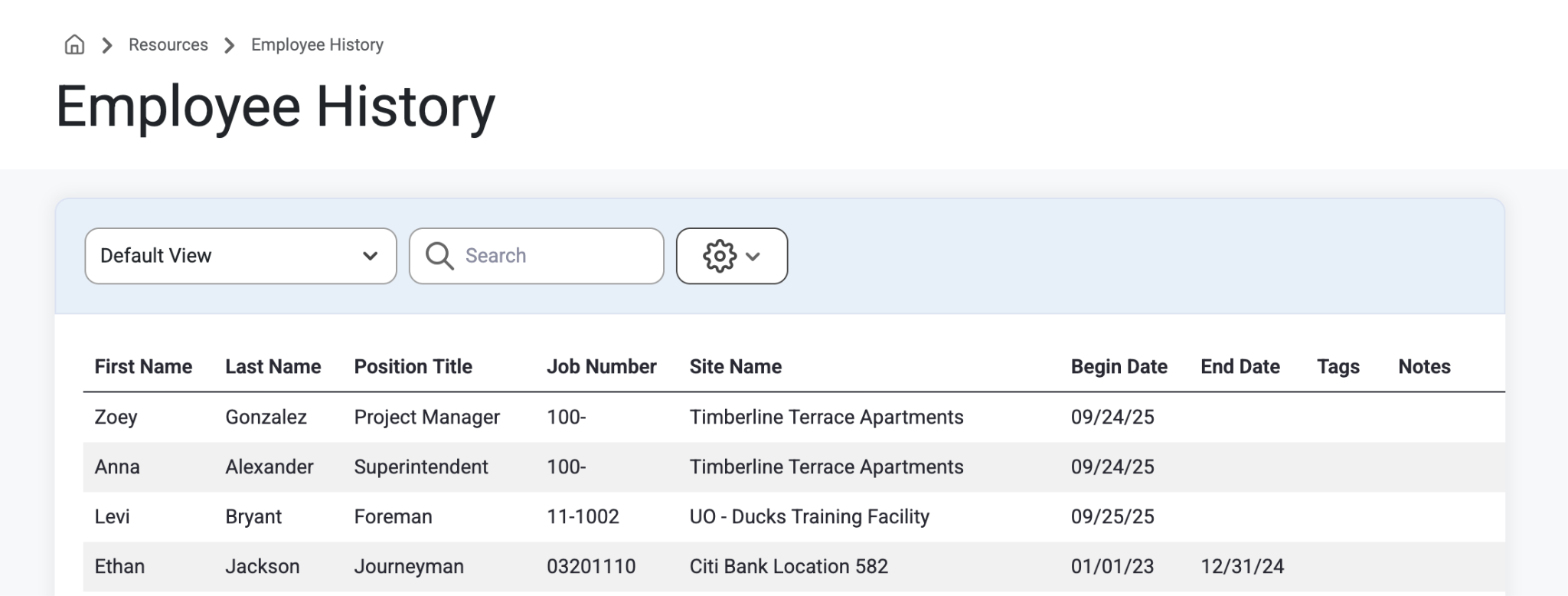
This list cannot be edited from this page. To make changes or forecasts to current employees, navigate to Resources>Employees>Detail>WorkHistory or read more about how to navigate that page here: Work History
Was this article helpful?
That’s Great!
Thank you for your feedback
Sorry! We couldn't be helpful
Thank you for your feedback
Feedback sent
We appreciate your effort and will try to fix the article