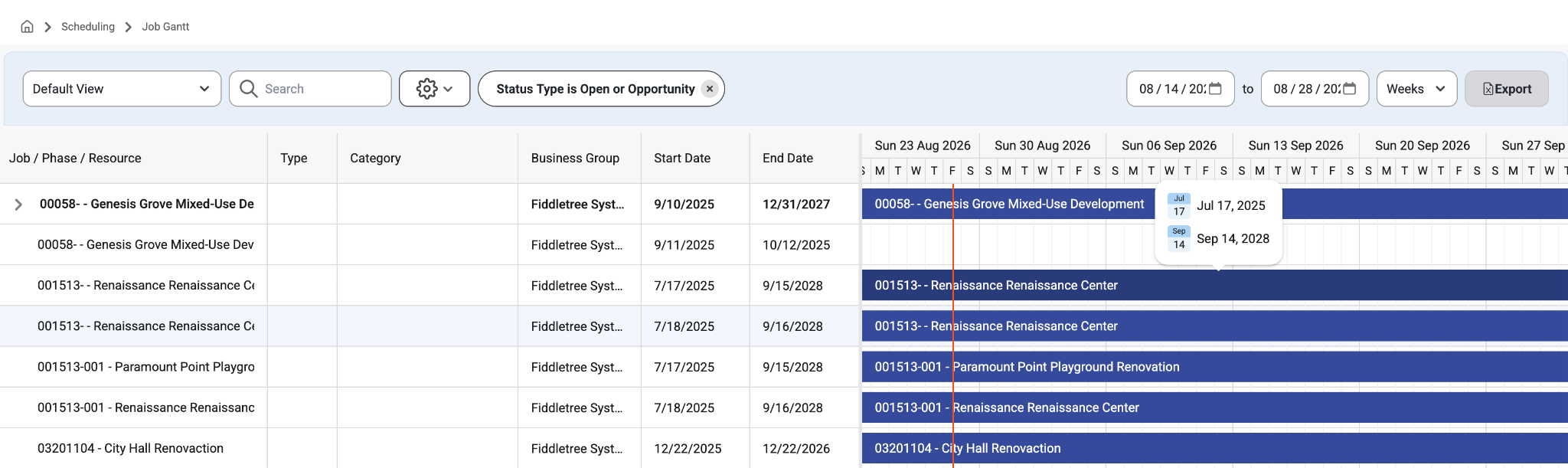
This page allows users to view a list of all Jobs, the Resources assigned to them, and their time frame from start to end date. This page shows long-term assignments.
How To:
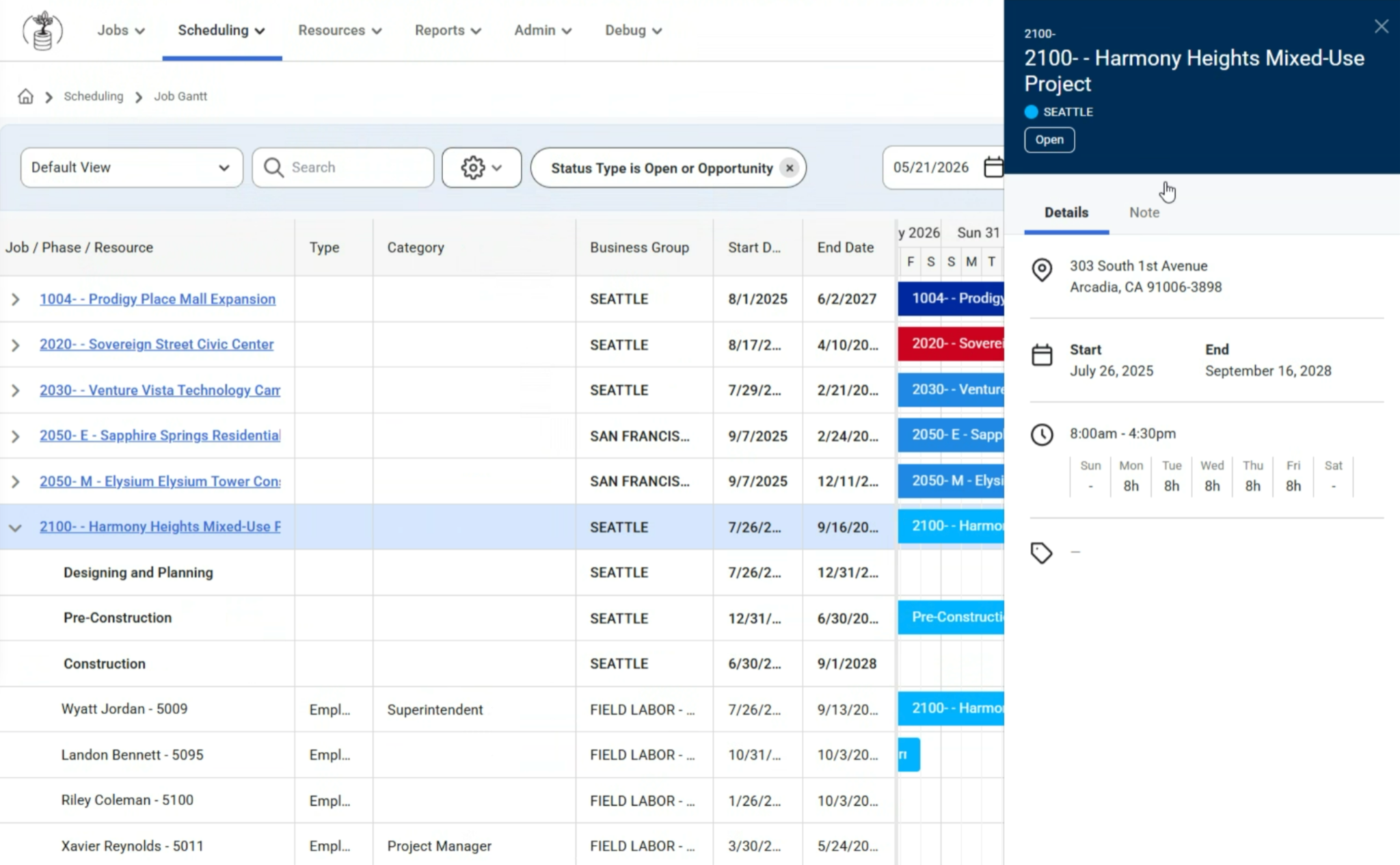
Click on a job name to open a slide out with notes,tags and details.
Expand the job to see all of the people assigned to that project.
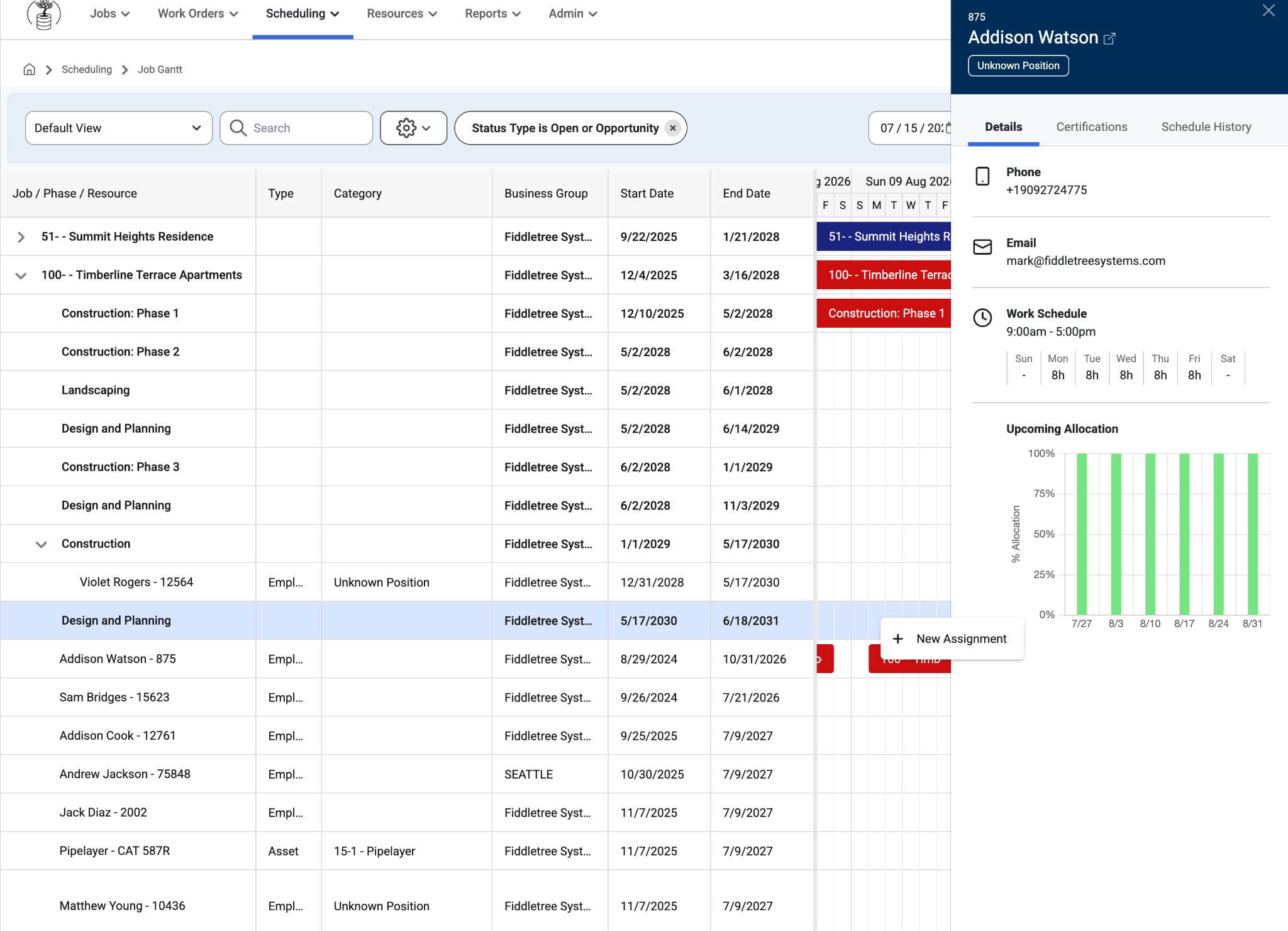
Right click on the event bar to add a ‘New Assignment.’
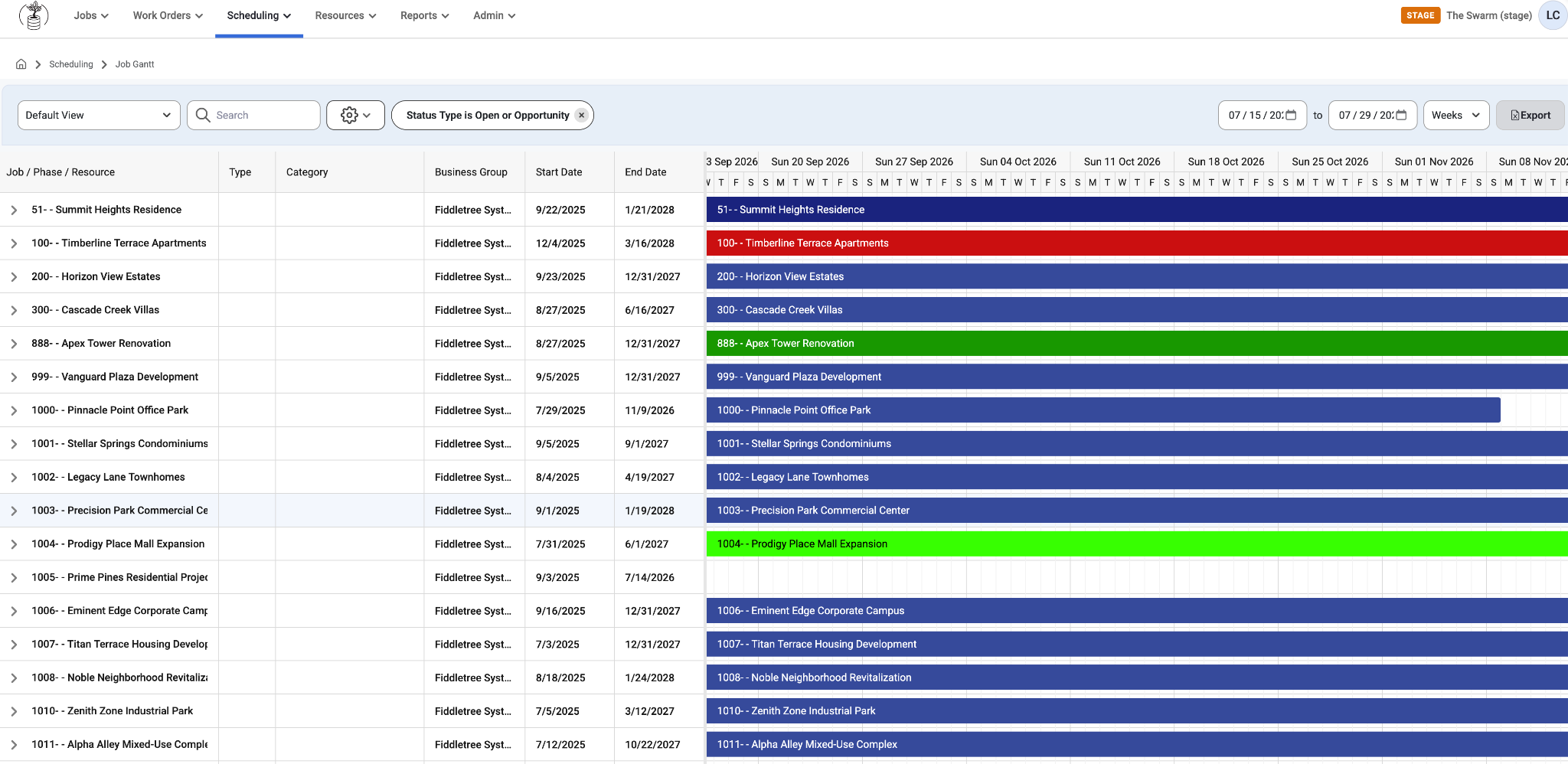
On the left side of the page is a list of Job/Phase/Resource. Each Job can be expanded to view their Phases, and each phase can be expanded to view the Resources Assigned. Users can filter this grid based on:
Status Type
Business Group
Location
Simply use the search bar or select any Job. When a Job is selected a slide out will appear on the right that shows Details and Notes of that job such as:
Address
Start/End Dates
Weekly Schedule
Notes
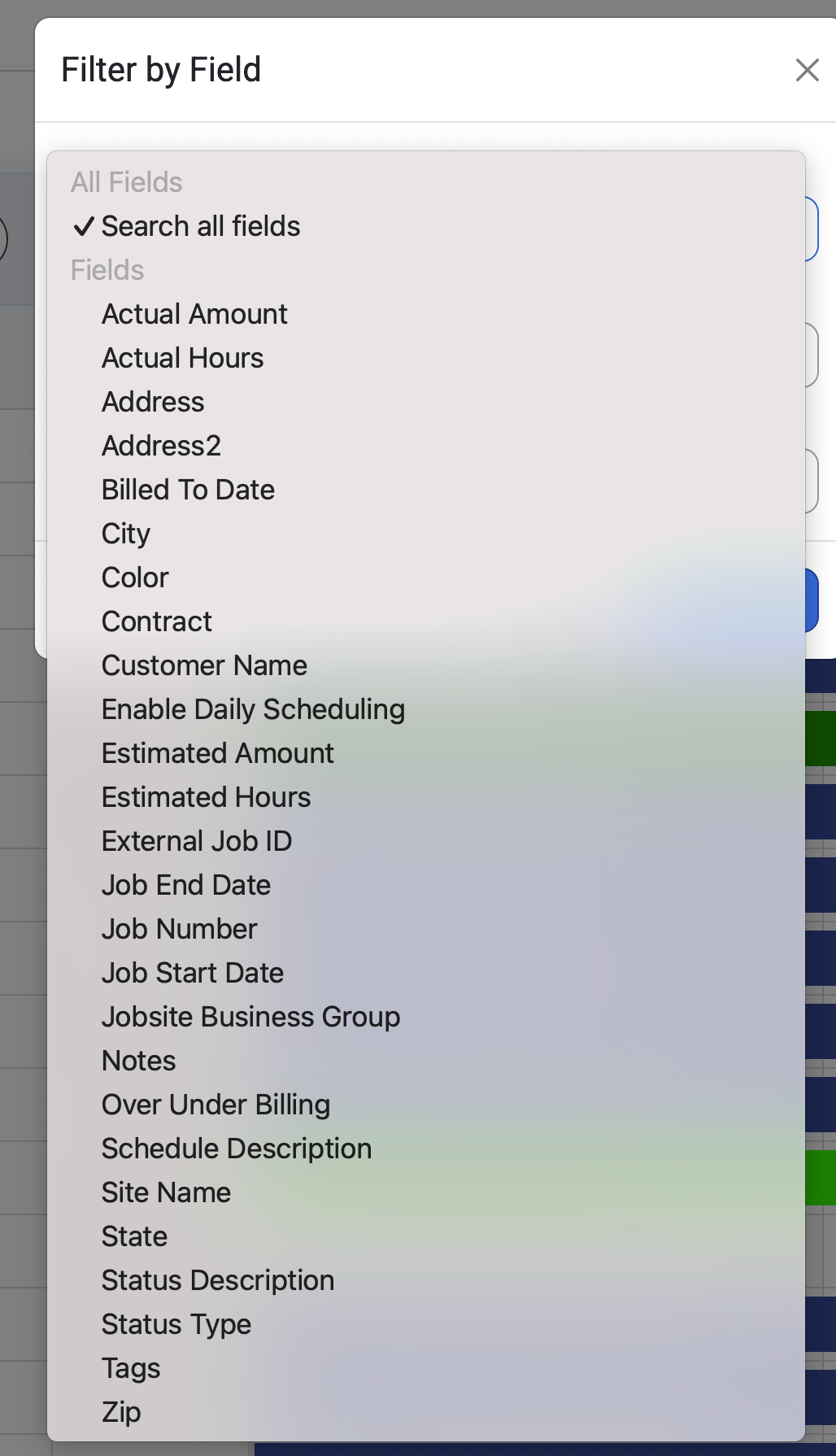
Scroll to the right to see which jobs are assigned for the future. This allows users to plan ahead and manage scheduling. Organize and filter by Field
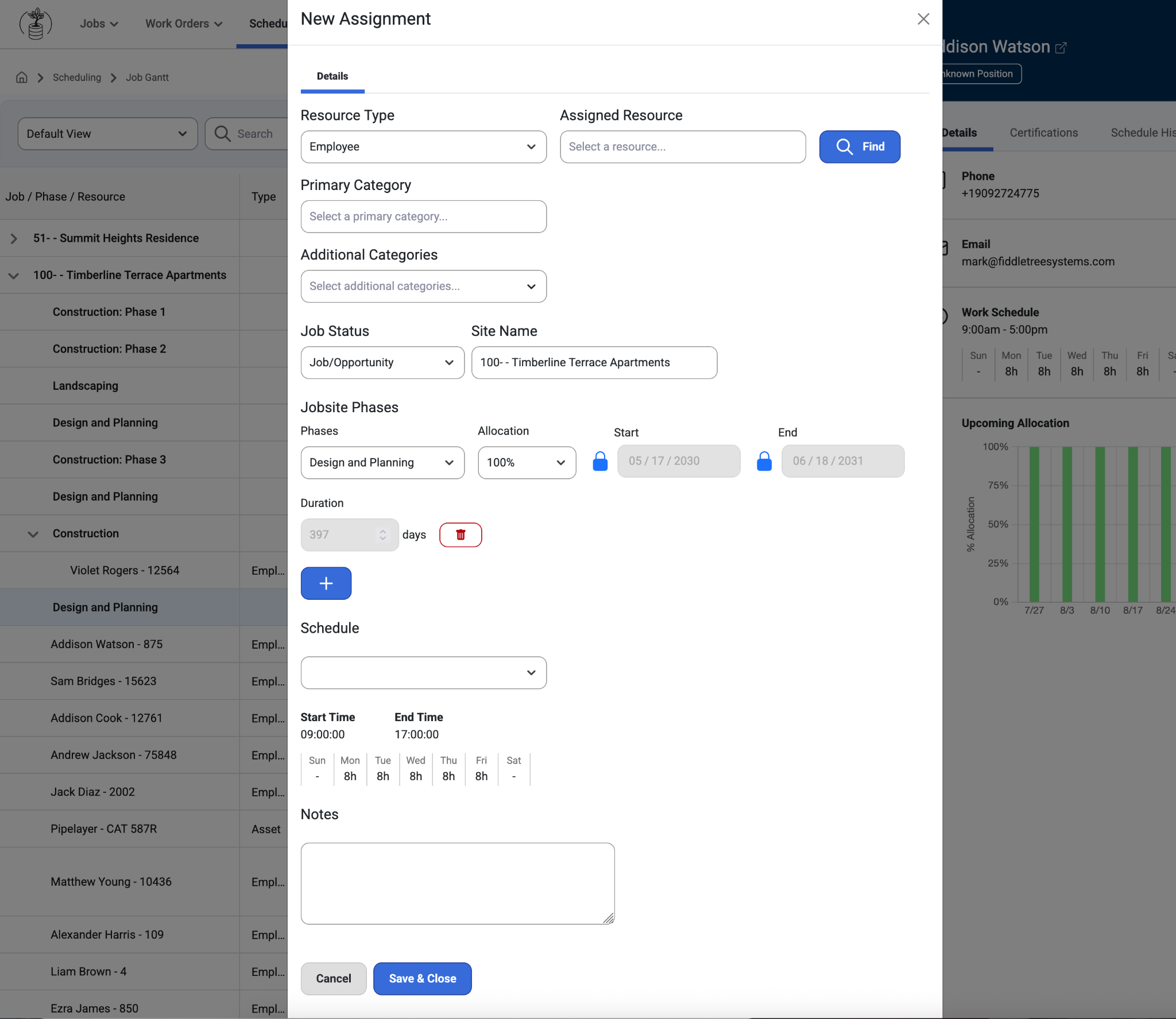
Users may also right click on the right side in a blank part of the chart to ‘+ New Assignment’ and a New Assignment modal will appear.
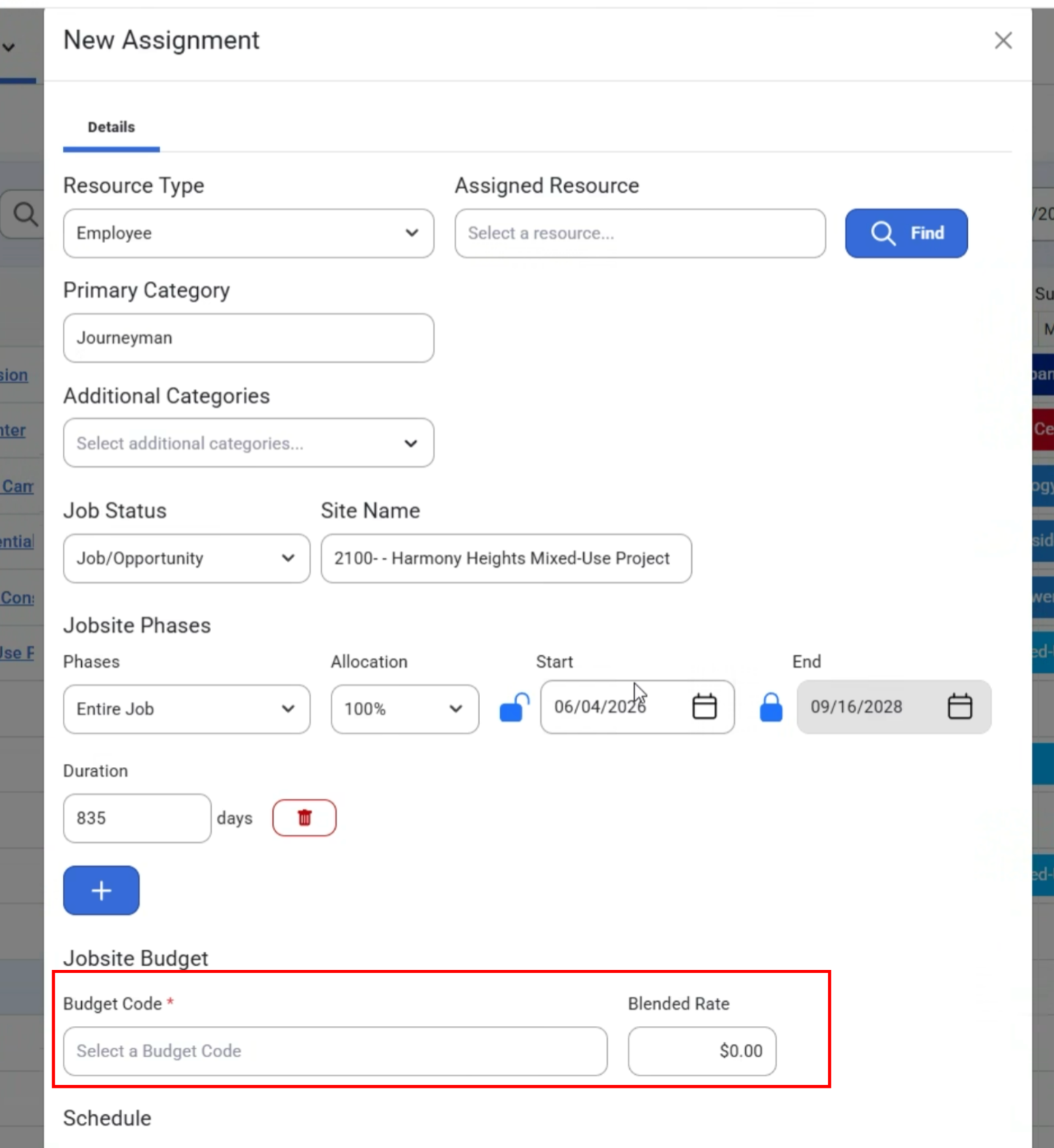
If the Budget Code and Rate fields are enabled, and the Job record is an Opportunity, the option will be hidden and not required. Otherwise the option to add a Budget Code and Blended Rate will show under Jobsite Budget.
Save or Edit Short-Term Assignments.
Employee Slide Out
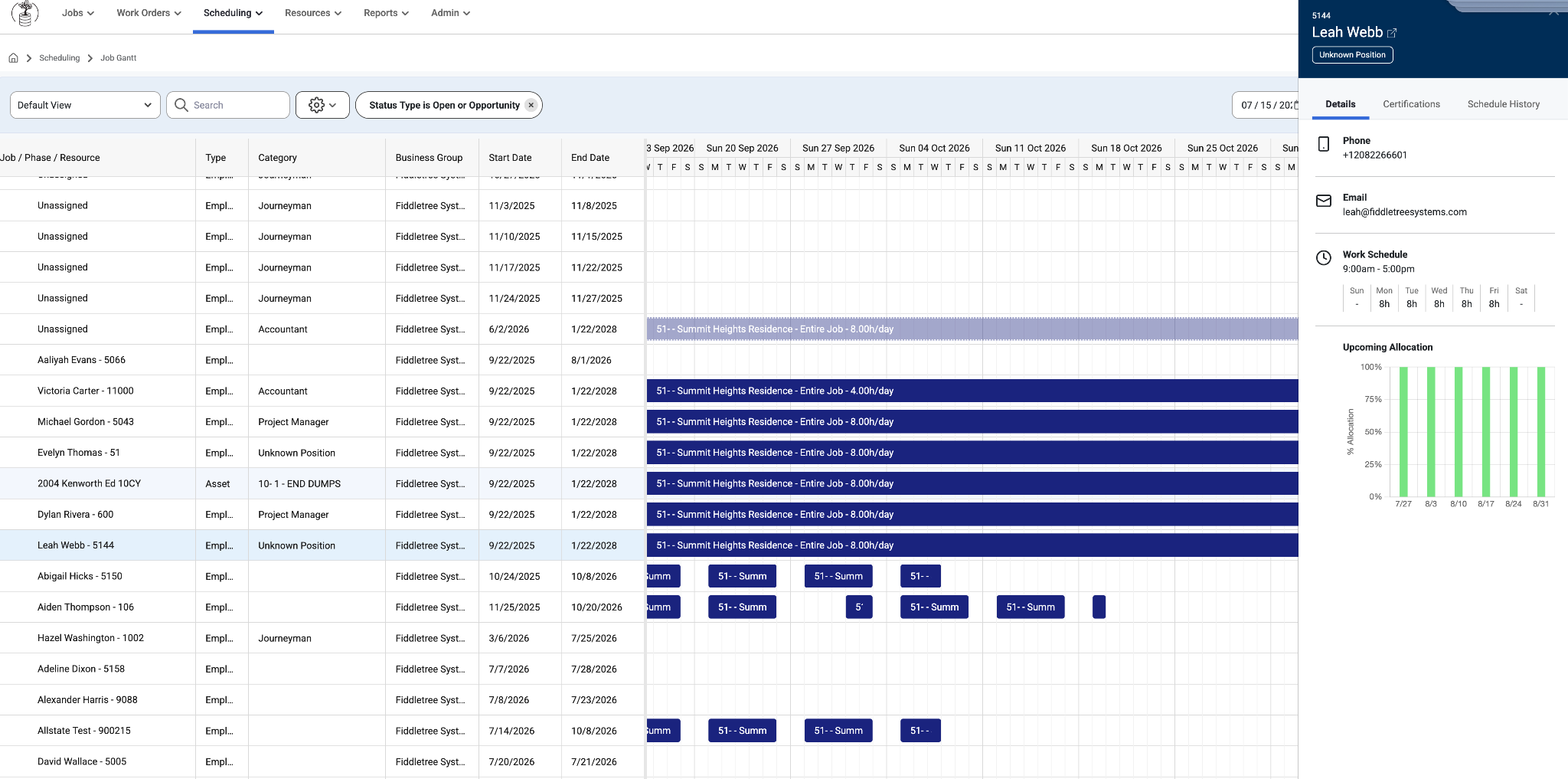
When a user clicks on an employee a slide out to the right will show Details, Certification, and the Schedule History of that Employee.
Required certifications will show at the top (if any) and additional certifications will show at the bottom. If there are no required certifications on the job they will not be grouped in that order.
Certifications that expire in 31 days or less will appear in yellow text.
Upcoming allocations will be displayed at the bottom, if any.
Users can right click to open a new tab with the Employee Slide Out Links.
When the job name or icon is clicked, it will navigate the user to the Job Details page.
Note: A user's detailed view of the Job Gantt will differ depending on Admin Settings. Go to Admin > Organization >Settings to Enable or Disable the following options:
Job Gantt - Group Resources under their assigned phases
Hide Entire Job phase from Gantts
Was this article helpful?
That’s Great!
Thank you for your feedback
Sorry! We couldn't be helpful
Thank you for your feedback
Feedback sent
We appreciate your effort and will try to fix the article