Crew Setup>Crew Types:
Purpose: Crew Types are selected during the resource request process and are used to recommend Crews matching the Crew Types that are requested. These crew types can be seen in daily scheduling as well as short and long-term assignments.
Required: This is mandatory for creating Crews and Crew resource requests.
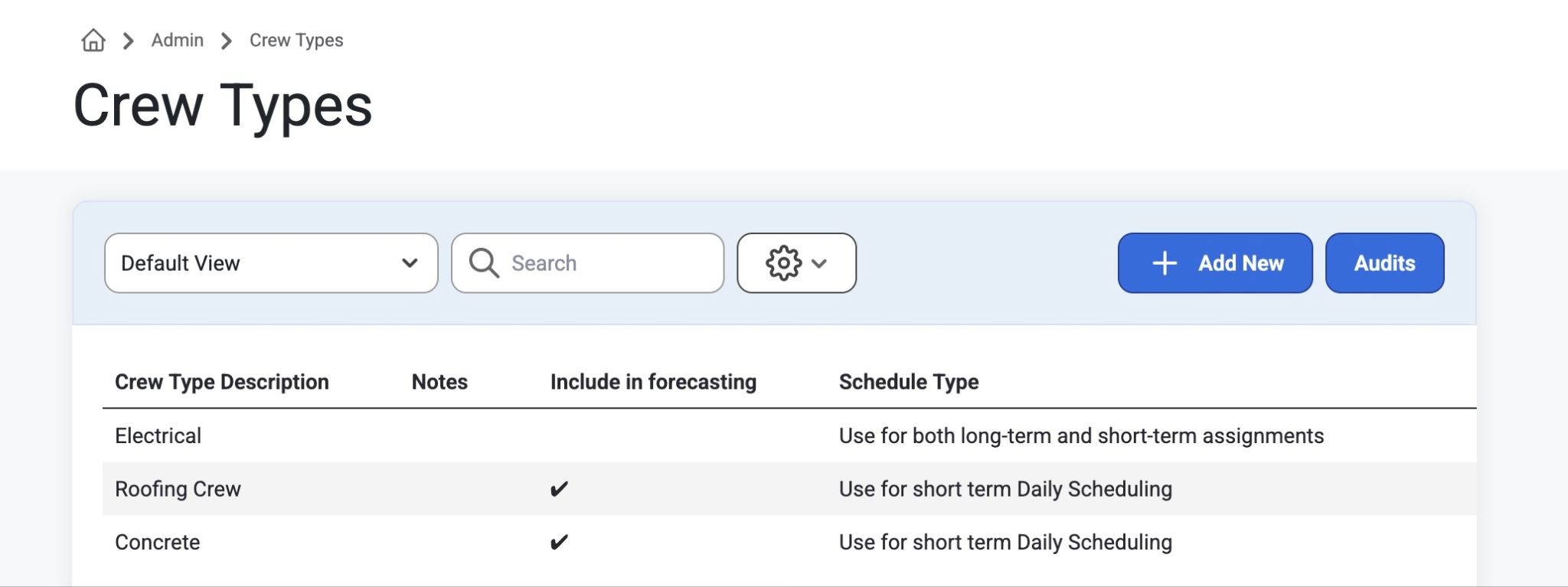
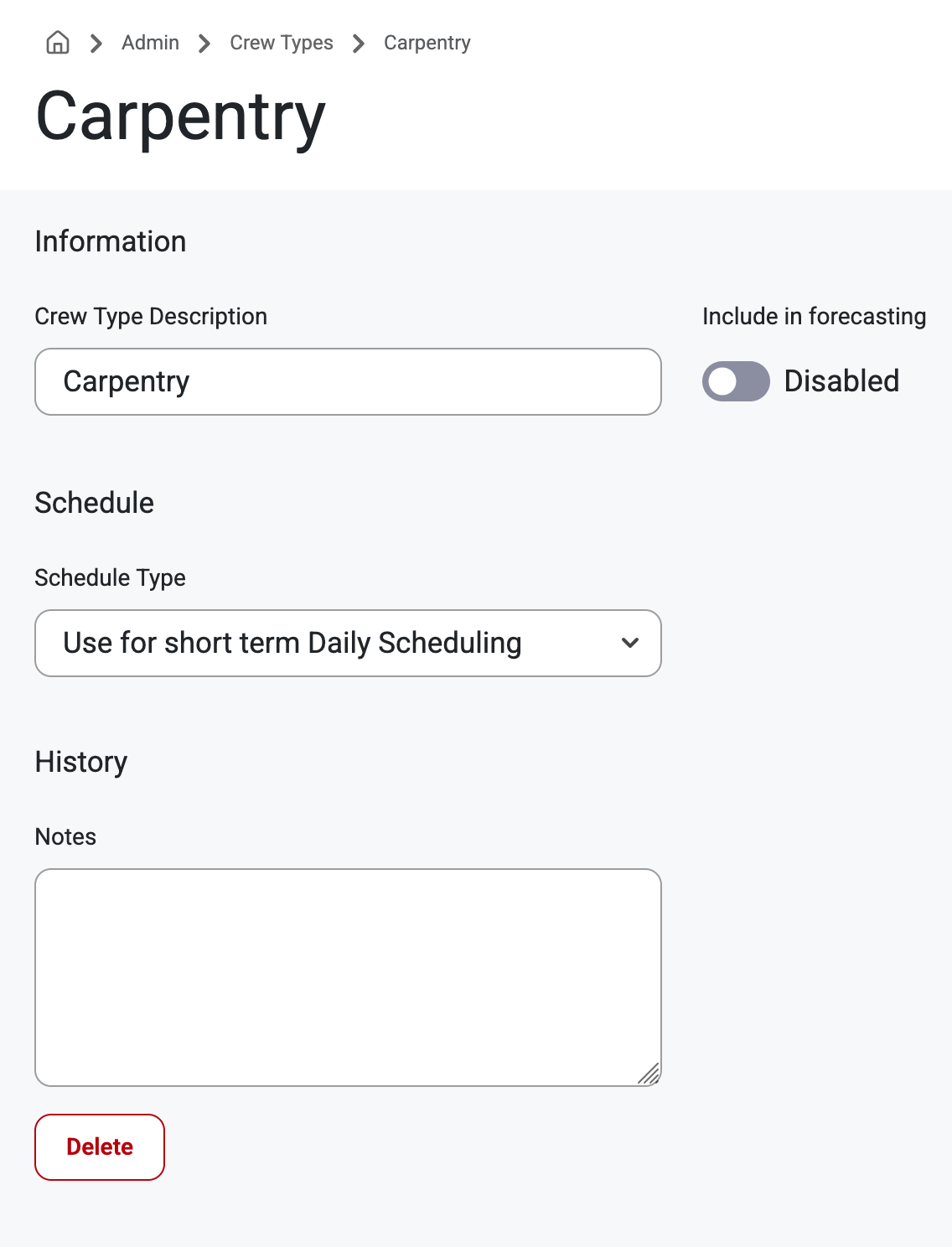
How to: Navigate to Admin>CrewSetup>CrewTypes to view the grid list of crews. Click into any crew type description to view, update, or delete details like name description, enable use for forecasting, schedule type, and history notes.
Was this article helpful?
That’s Great!
Thank you for your feedback
Sorry! We couldn't be helpful
Thank you for your feedback
Feedback sent
We appreciate your effort and will try to fix the article