Jobsite> Change Orders
To View or Add a Change Order, first select ‘Jobs’ from the top navigation bar, select ‘Jobs List’ from the drop down menu.
Select any job and navigate to the ‘Change Orders’ page.
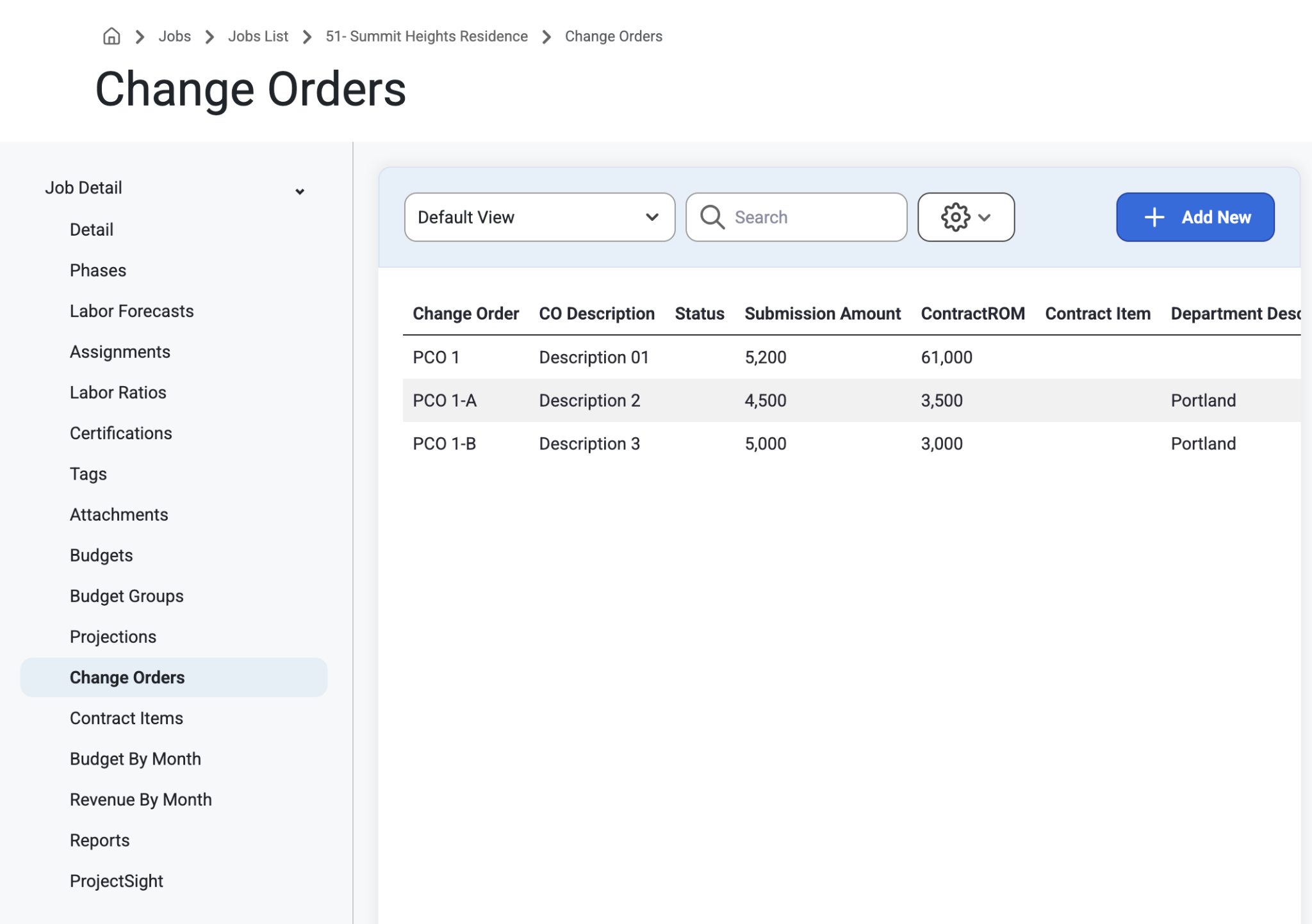
Select ‘Add New’ to create a new Change Order.
A modal will appear to Add Notice to Proceed or to enter a Potential Change Order.
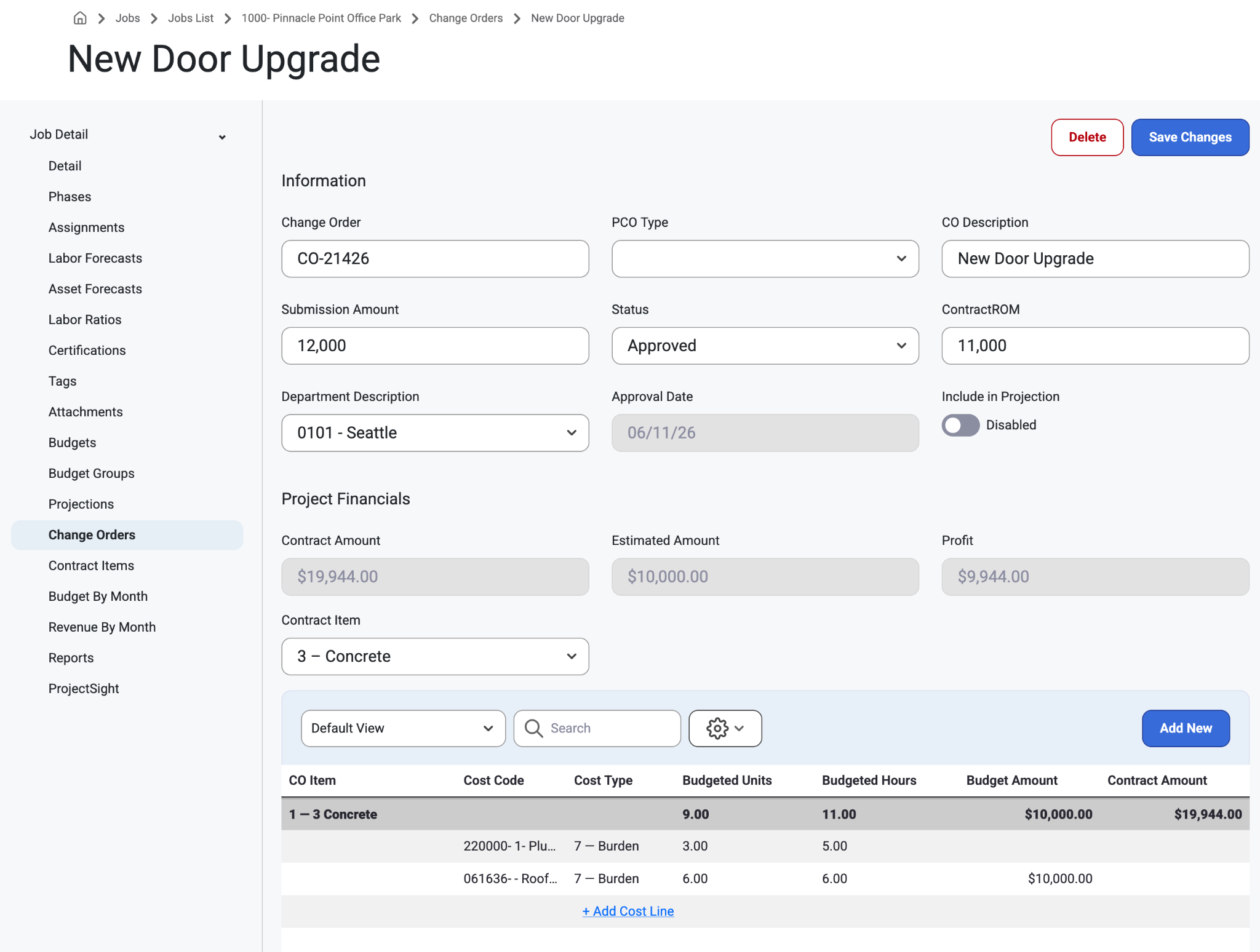
Change Order
Change Order Description
Check box to Include in Cost Projection
Change Type (select from drop-down menu)
Internal or External
Submission Amount
Contract ROM
Job Department (required)
Revenue Contract Item
- PCO Type (grid and header)
Notice the Read only fields at the end of the header fields
Revenue
Cost
Profit
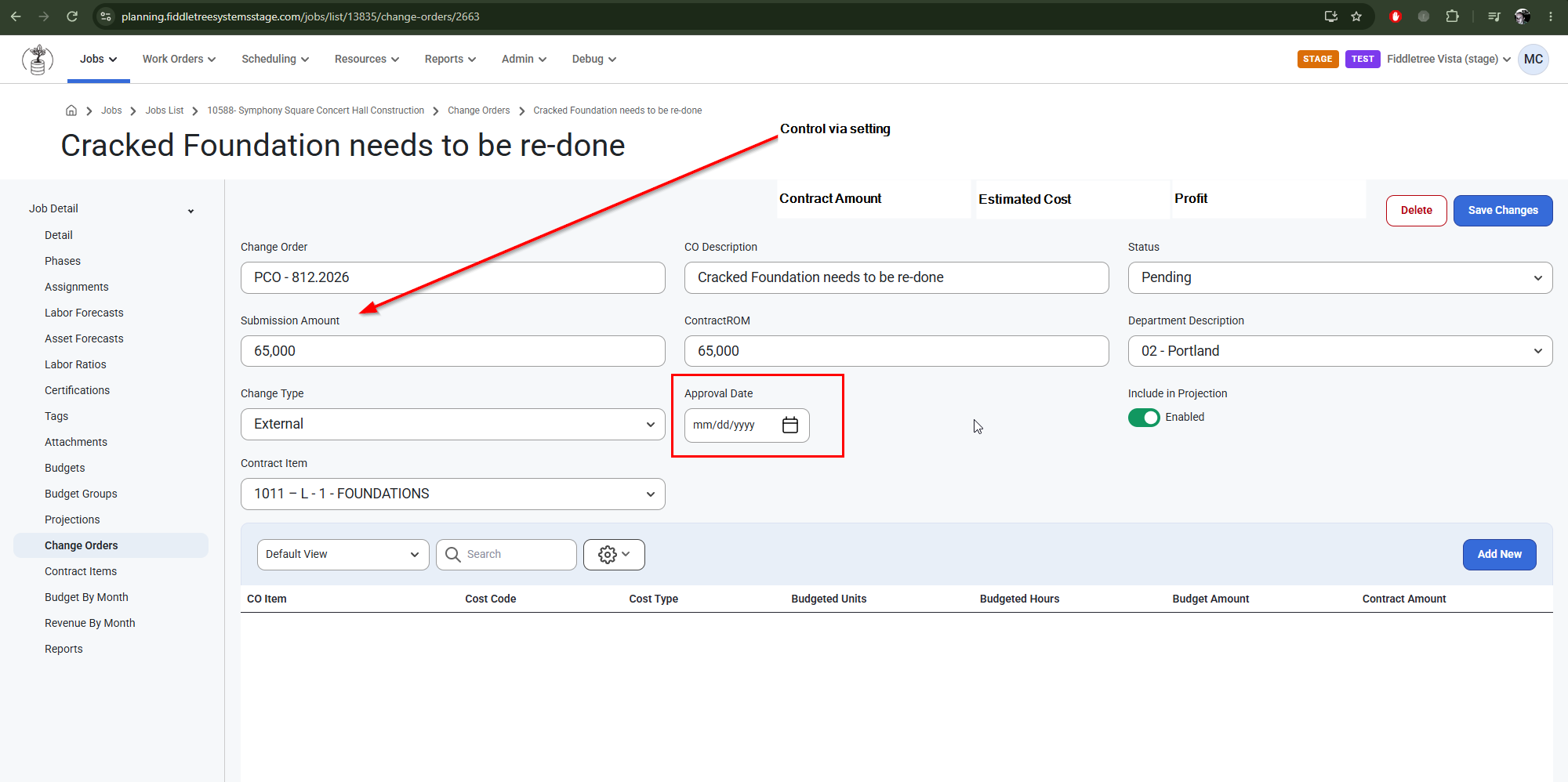
Change order statuses are now stored in Status Maps as Approved, Pending or Rejected and are added via Imports.
The Approval Date is read-only
Insert Date when Status is manually updated to status with Internal Status Type = Approved
Change order statuses are now stored in Status Maps as Approved, Pending or Rejected and are added via Imports.
How the Import Works
For Change Orders the software auto maps certain Status to internal codes.
The system will assign the Change Order status to the Internal Status Type based on the Change Order Status IDs sent to us via Import / API.
For example, Each Status Code has an Internal Status Type and Meaning
Internal Status Types and Their Code Meanings:
approved
Change Order has been approved
A
Approved
rejected
Change order has been rejected
R
Rejected
Change order has been cancelled (treated as rejected)
C
Cancelled
pending
Change order is pending approval
Any other value
Note: The Jobsite Change Orders are only tied to "Can View Sensitive" Permissions on Job, not the "Enable Projections" Setting. This can be set up on Admin>Organization>Permission Groups. Read about it here: Permissions
Was this article helpful?
That’s Great!
Thank you for your feedback
Sorry! We couldn't be helpful
Thank you for your feedback
Feedback sent
We appreciate your effort and will try to fix the article