Accessing Budget Variance
Navigate to the Job Lists tab under ‘Jobs’ on the top navigation bar.
- Note: Can View Sensitive permissions only
- Learn how to setup or change permissions here: Permissions
- Note: Can View Sensitive permissions only
Select any Job and navigate to the ‘Budget Variance’ page.
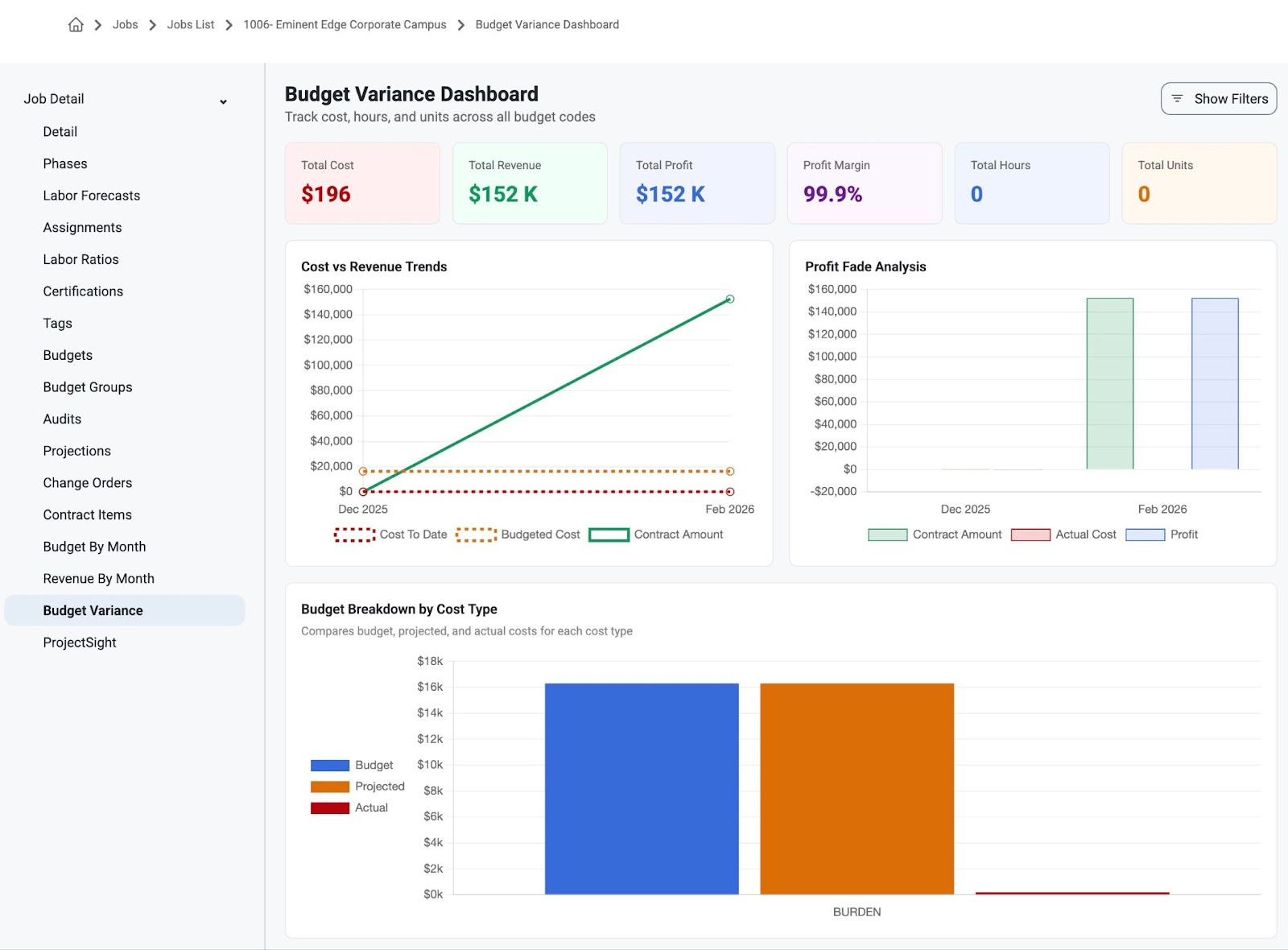
From here users can view the Budget Variance Dashboard for any selected Job.
Review
Total Costs
Total Revenue
Total Profit
Profit Margin
Total Hours
Total Units
Cost vs. Revenue Trends
Profit Fade Analysis
Budget Breakdown by Cost Type
Scroll down to review more details:
Hours & Units Trends
Budget Changes ( Month-over-Month%)
An organized list of Budget Groups (assigned or not) and their related details
Cost Type
Phase Code
Budget Code
Budget Amt
Actual Amt
Projected Amt
Variance
Variance %
Budget Hours
Actual Hours
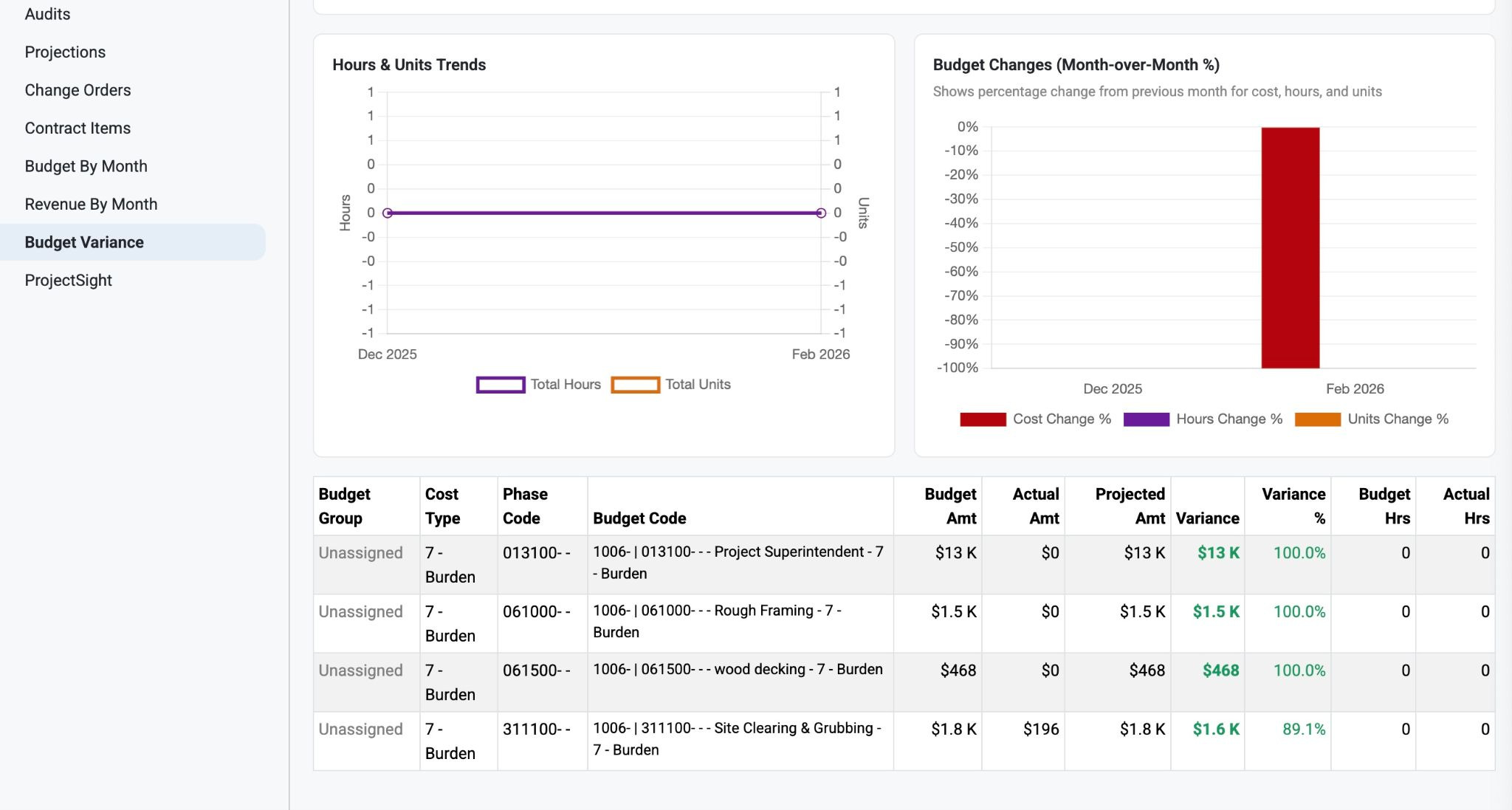
Note: Users may notice the graphs are clickable to focus on specific values.
Was this article helpful?
That’s Great!
Thank you for your feedback
Sorry! We couldn't be helpful
Thank you for your feedback
Feedback sent
We appreciate your effort and will try to fix the article