Global Labor Forecasts
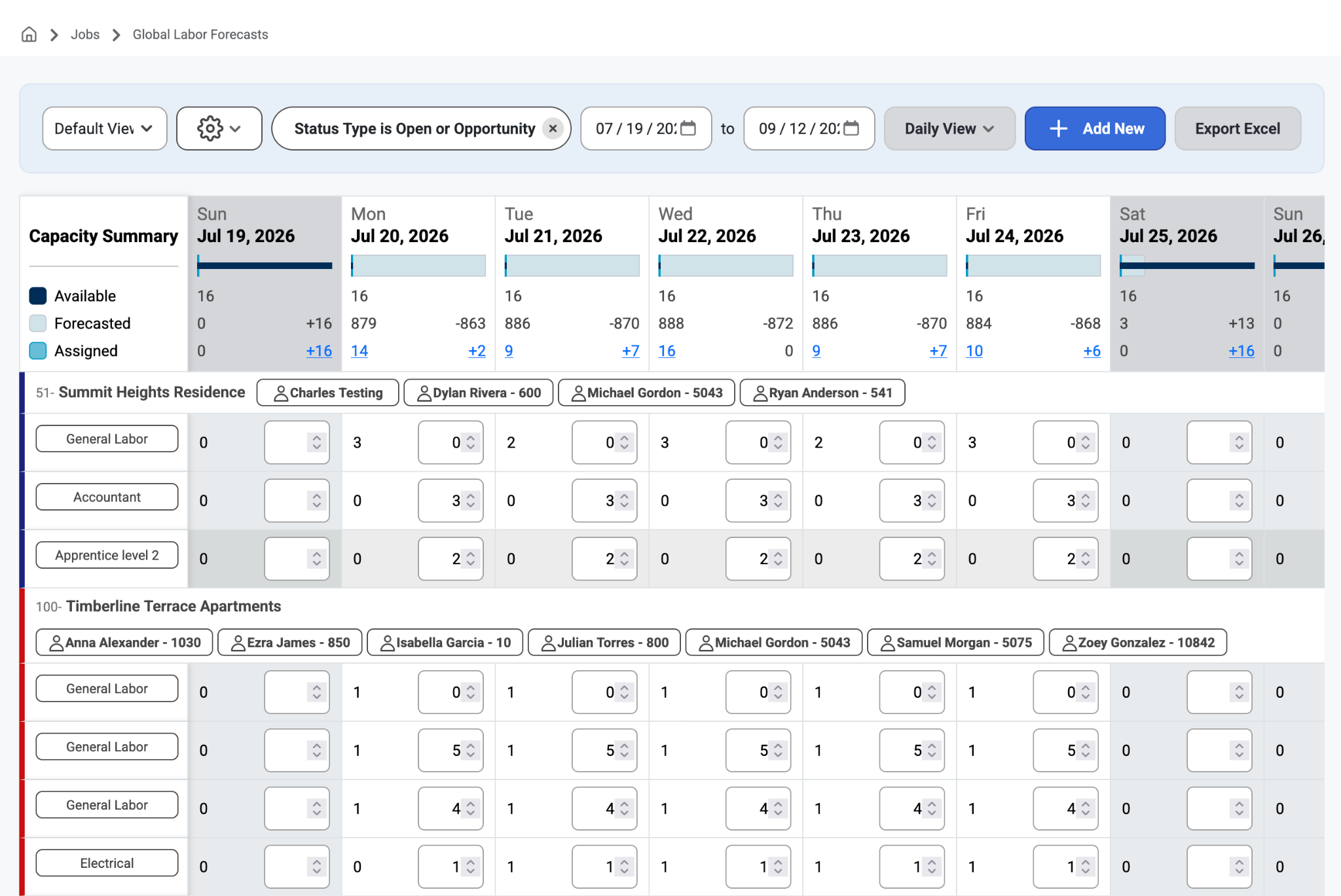
Global Labor Forecasts is a high-level page used for short-term scheduling. This page is great for managers because of its detailed view of Labor Forecasts. The page automatically shows at a daily view but can be toggled at the top to be a weekly view as well. This is also a great place to build custom filters to drill into your available workforce and forecasted labor needs per specialty.
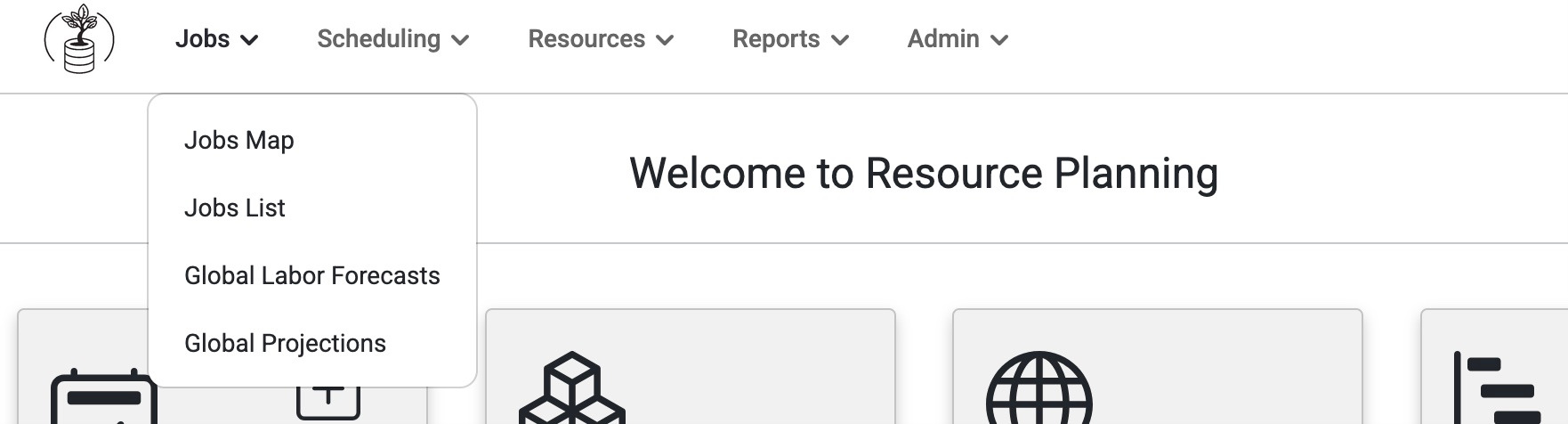
To view, go to 'Jobs' on the top navigation bar and select 'Global Labor Forecasts' from the drop-down menu. This page will show all of the jobs and all of the labor forecasts across those jobs that an admin user has access to.
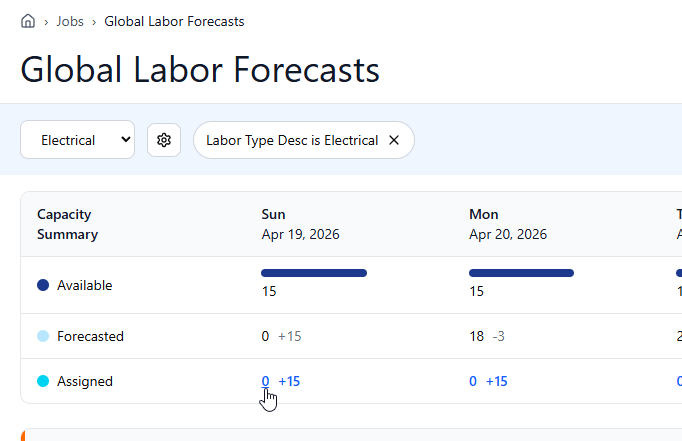
The benefit of this page is that it allows admins to drill into different labor categories or specialties to see:
How many people are available?
How many people have been forecasted to need?
How many people are actually assigned?
This means, that if more people have been forecasted that are available, admins can easily figure out questions like:
Who's actually going to get people?
Who's going to lose people?
Who's going to fill the other side that needs the people more?
This page is great for managers because of its detailed view of Labor Forecasts. The page automatically shows at a daily view but can be toggled at the top to be a weekly view as well. This is also a great place to build customer filters to drill into those custom labor types.
This page also shows jobs that do not have a Labor Forecast if there are employees assigned to that job within the date range selected.
These will show up in Scheduling>Daily Scheduling. In Short-Term assignments there is a header description for the labor type like general, mechanical, electric, (etc.) when users assign an employee to an 'empty' general slot in daily scheduling.
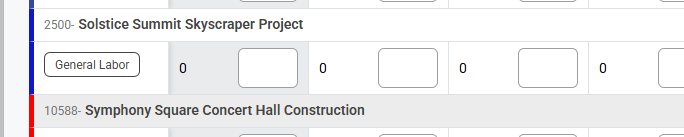
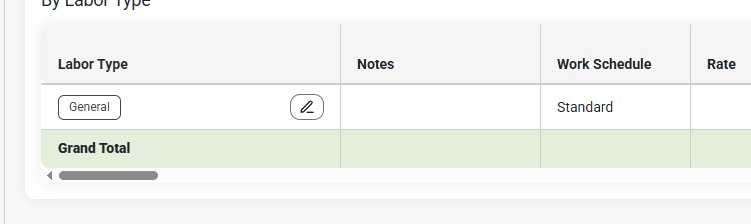
In Jobsite Labor Forecasts these will appear as General.
In addition to this, Global Labor Forecasts has:
An Export to Excel button
Filters to see Daily, Weekly, or Monthly views
When hovering over a Labor Forecast, it will only show the fields that the customer is using based on their setup.
Budget Group and Rates are controlled by Admin > Organization > Settings
Read about Setup, here: Admin > Organization > Settings
The hover text will not show the construction phase assigned.
In the Daily/Weekly Summary section, the user can click on the highlighted blue values to see the list of employees that are either assigned or unassigned.
The Left number is the number of assigned employees, and the Right number is the number of unassigned employees.
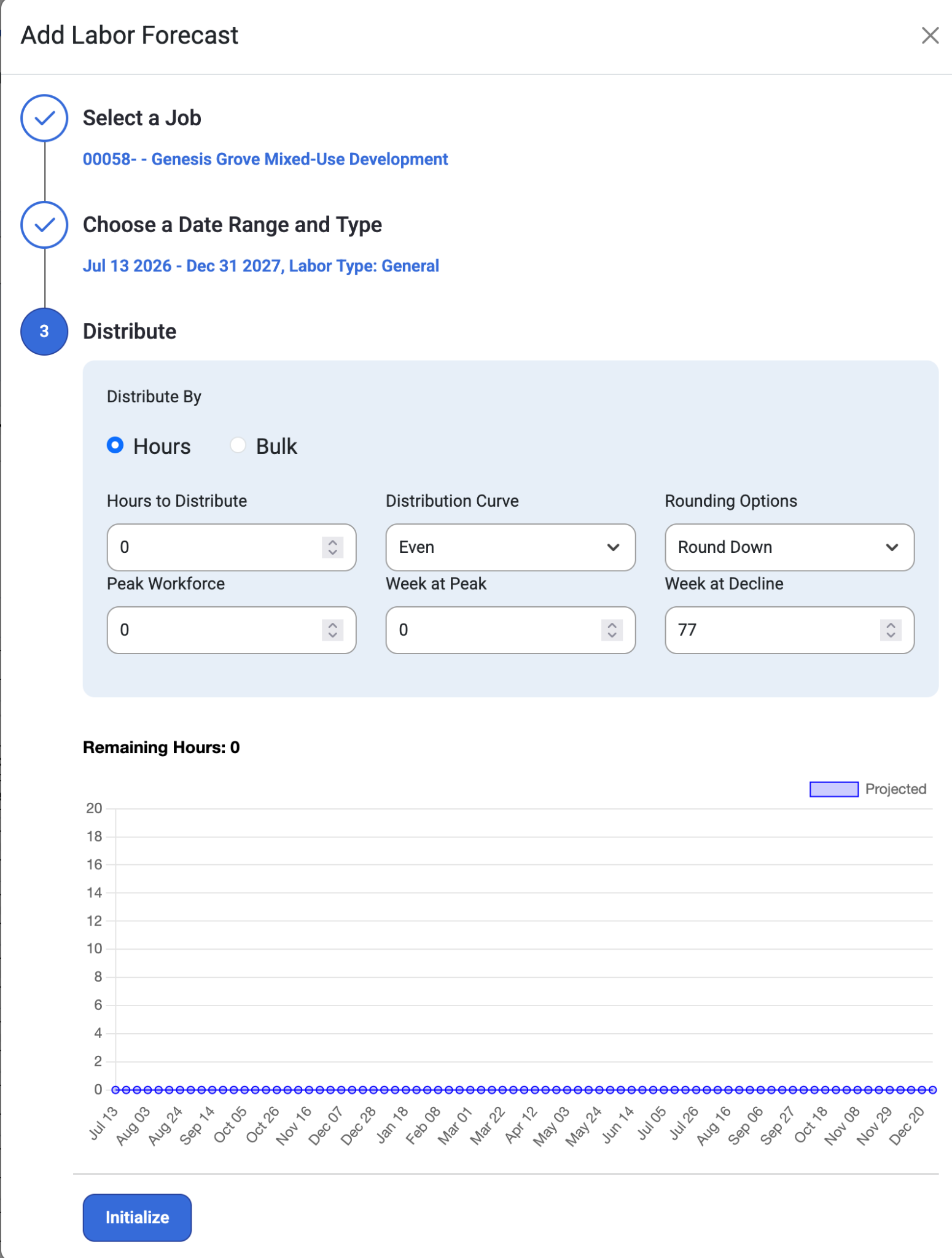
The ‘Add New’ button allows users a modal that creates job forecasts from the global labor forecasts page. The modal will prompt users to
Select a Job
Choose a Date range and type
Distribution of Hours
Organize and filter the view by Resource Type (Schedule, Employee, Crews, Mechanical, Project Manager, etc..)
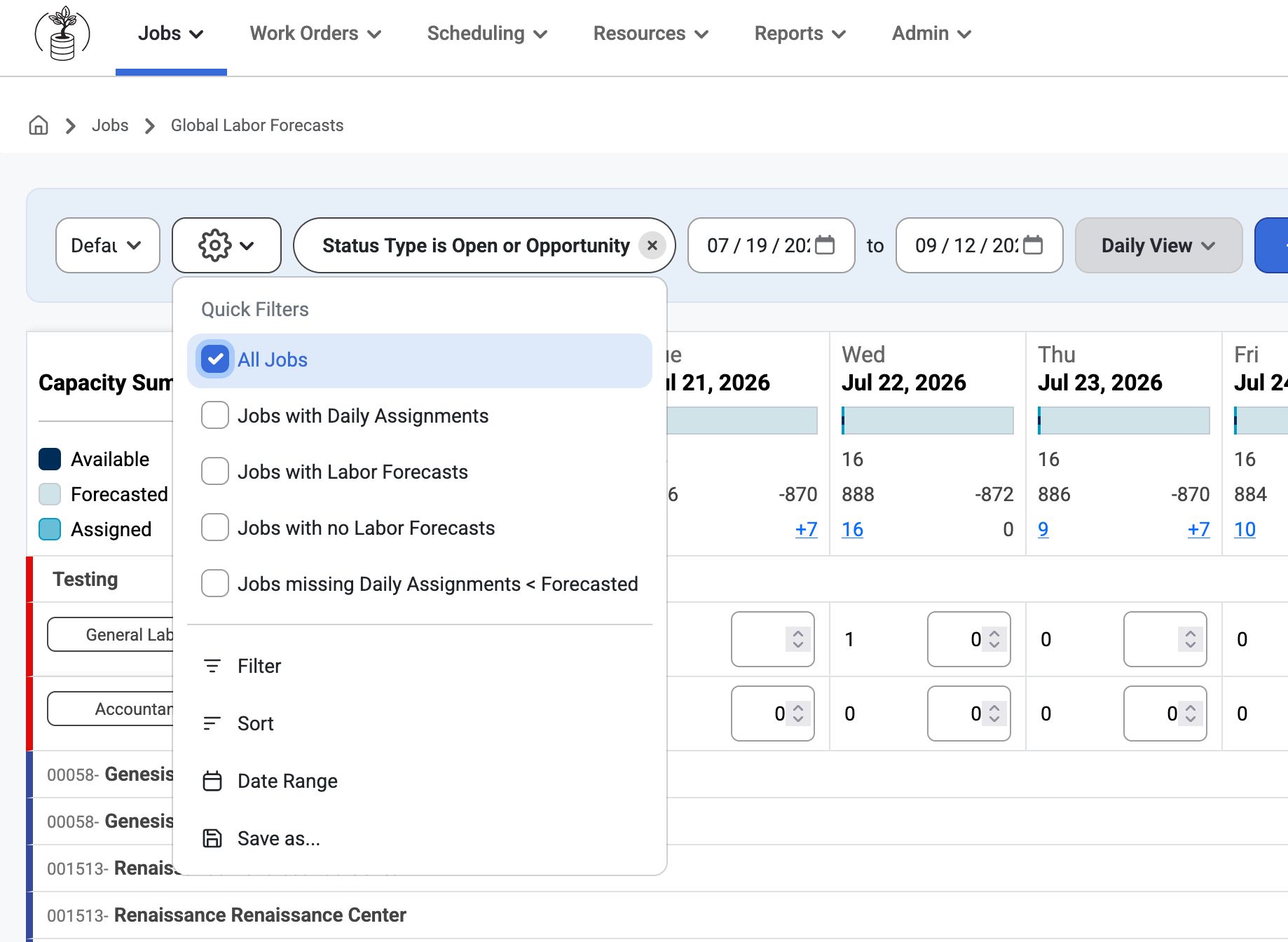
Option in View settings to add a Sort under Filter option and allows users to save customized views. Quick filters appear at the top of the menu and are added from Daily Scheduling to Global Labor Forecasts under View Settings in quick filter options.
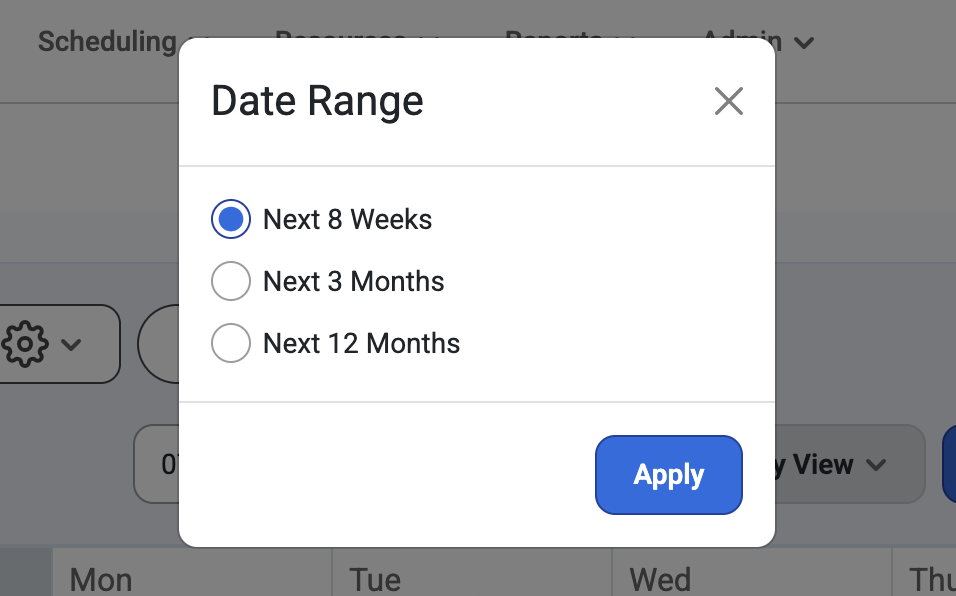
Option to change view settings with a Date Range below the Quick Filter search options.
Quick Filters
‘All Jobs’ shows all jobs not just those with labor forecasts.
Jobs with no Labor Forecasts
Jobs with Labor Forecasts is selected by default
Was this article helpful?
That’s Great!
Thank you for your feedback
Sorry! We couldn't be helpful
Thank you for your feedback
Feedback sent
We appreciate your effort and will try to fix the article