The out of the box Vista integration utilizes several components to sync your Vista data into Resource Planning. The high level flow is this; Scheduled Task on Server runs periodically to run the RunImportJob.bat file, this executes a PowerShell script that will open Excel and refresh the Excel data using Power Query, the Power Queries will pulling the data based on the SQL Views in the Vista database and save to the Excel sheet, then the Power Shell script will send the Excel sheet to the Resource Planning import API.
Task Scheduler
This can be set up to run as often as you like, but we recommend having it run two times a day before and after standard working hours so it doesn't consume too many resources.
PowerShell Script
The Power Shell script will refresh the data in the Excel sheet and then send the data to the Resource Planning API.
SQL Views
We will install several SQL views that allow us to select the data fields we need. Since they are SQL views, it also makes the integration very flexible with/for any customizations needed to use udfields.
Excel and Power Query
The server will need a licensed version of Excel, Vista database access, and SQL credentials to the database in order to pull updated data into the Excel sheet.
Most fields we pull from Vista are straight forward, but there are a few that are less obvious.
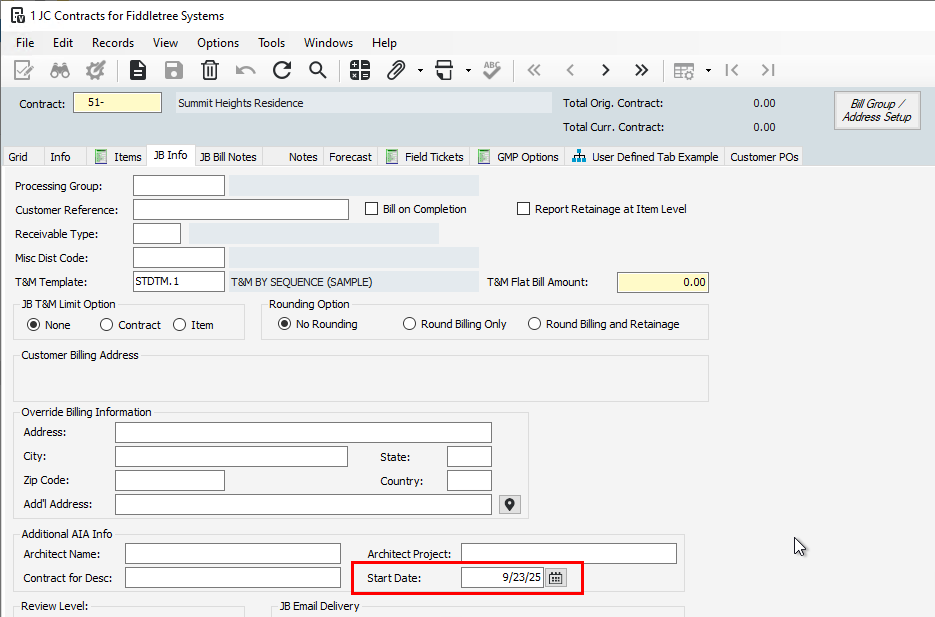
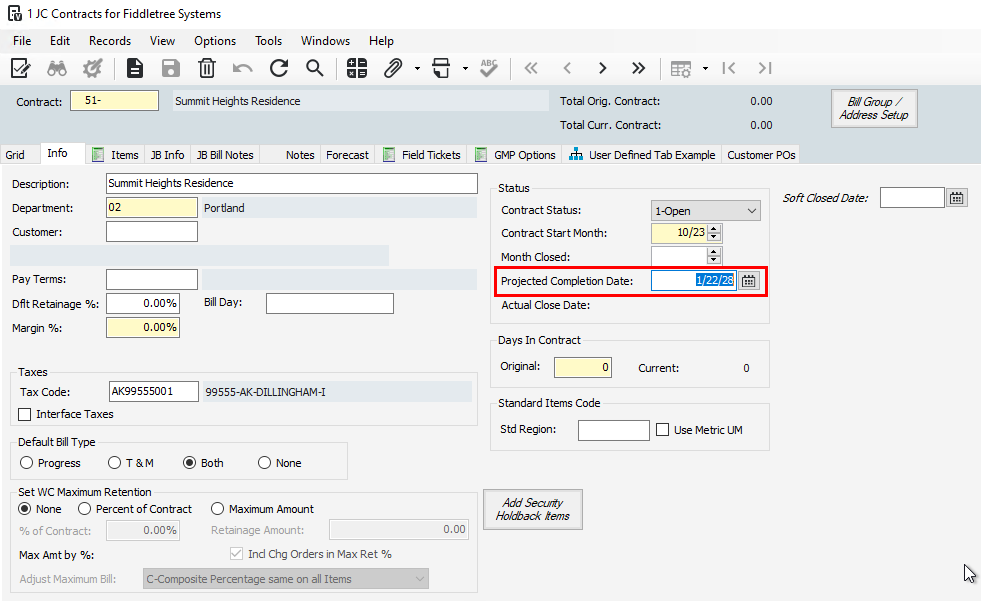
The Job Start and End Dates will pull from JC Contract fields StartDate and ProjCloseDate. Here are some screenshots to show these locations in Vista:
The Job Address fields will use the Job Mailing address fields if they are available, if not, it will use the Job Shipping address.
Only users with Can View Sensitive permissions for Jobs will see the Job Budget page. Read about Setting up Permissions, here: Permissions
For Vista customers, this data is pulled from the JCCP table that allows us to get all of the Job Estimate information, phase codes, cost types, actuals, etc
Was this article helpful?
That’s Great!
Thank you for your feedback
Sorry! We couldn't be helpful
Thank you for your feedback
Feedback sent
We appreciate your effort and will try to fix the article