Jobsite>Labor Ratios
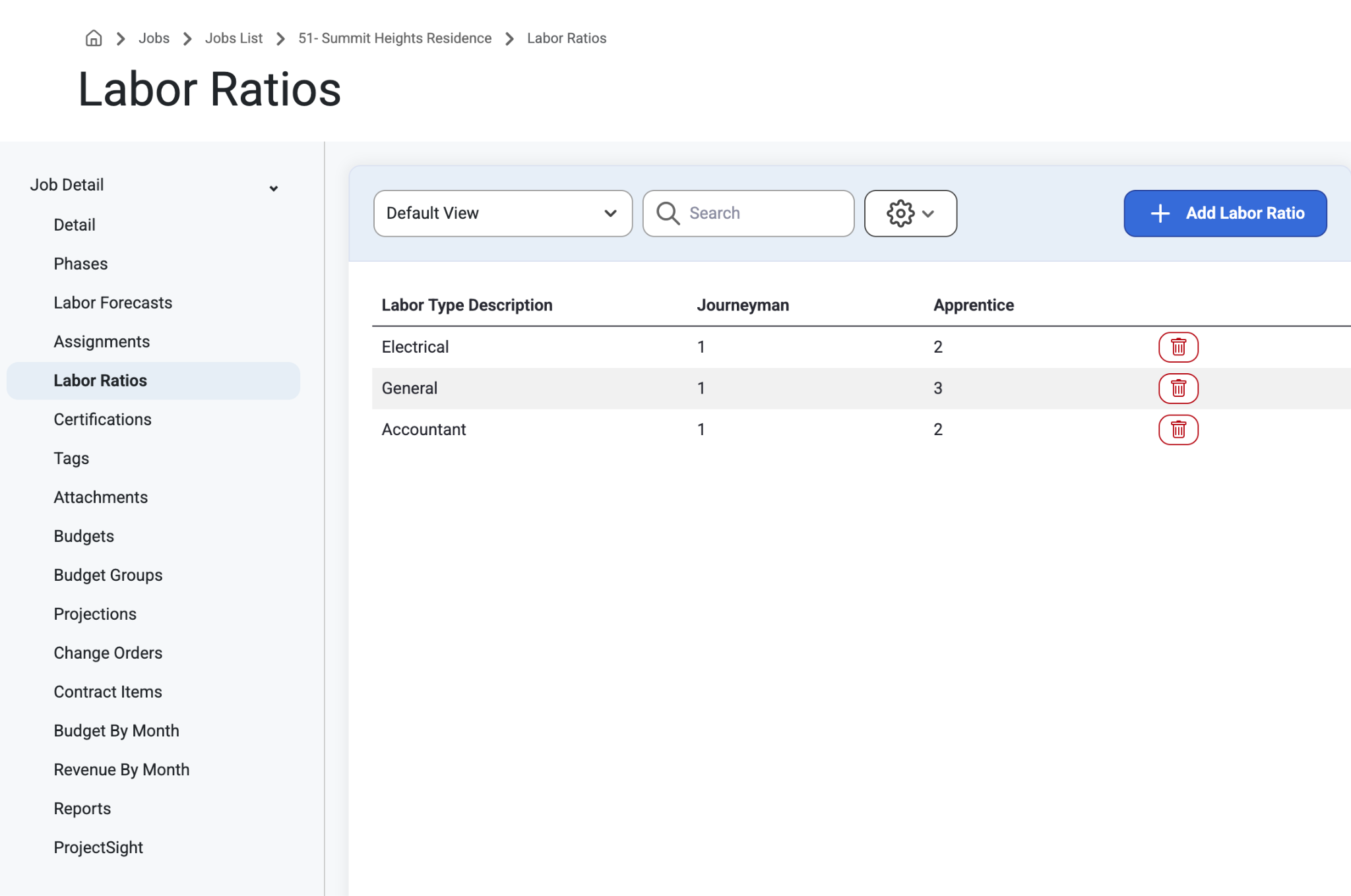
This is where users with Job Editing permissions can setup labor ratios of Apprentices to Journeyman by specialty on the job. To learn about setting up Permissions, read the article here: Organization
Creating a Labor Ratio
Select ‘+ Add Labor Ratio’ to create a Labor Ratio.
Select a Labor Type in the grid list to Edit a Labor Ratio.
Delete a Labor Ratio by selecting the garbage icon.
Where are Labor Ratios seen?
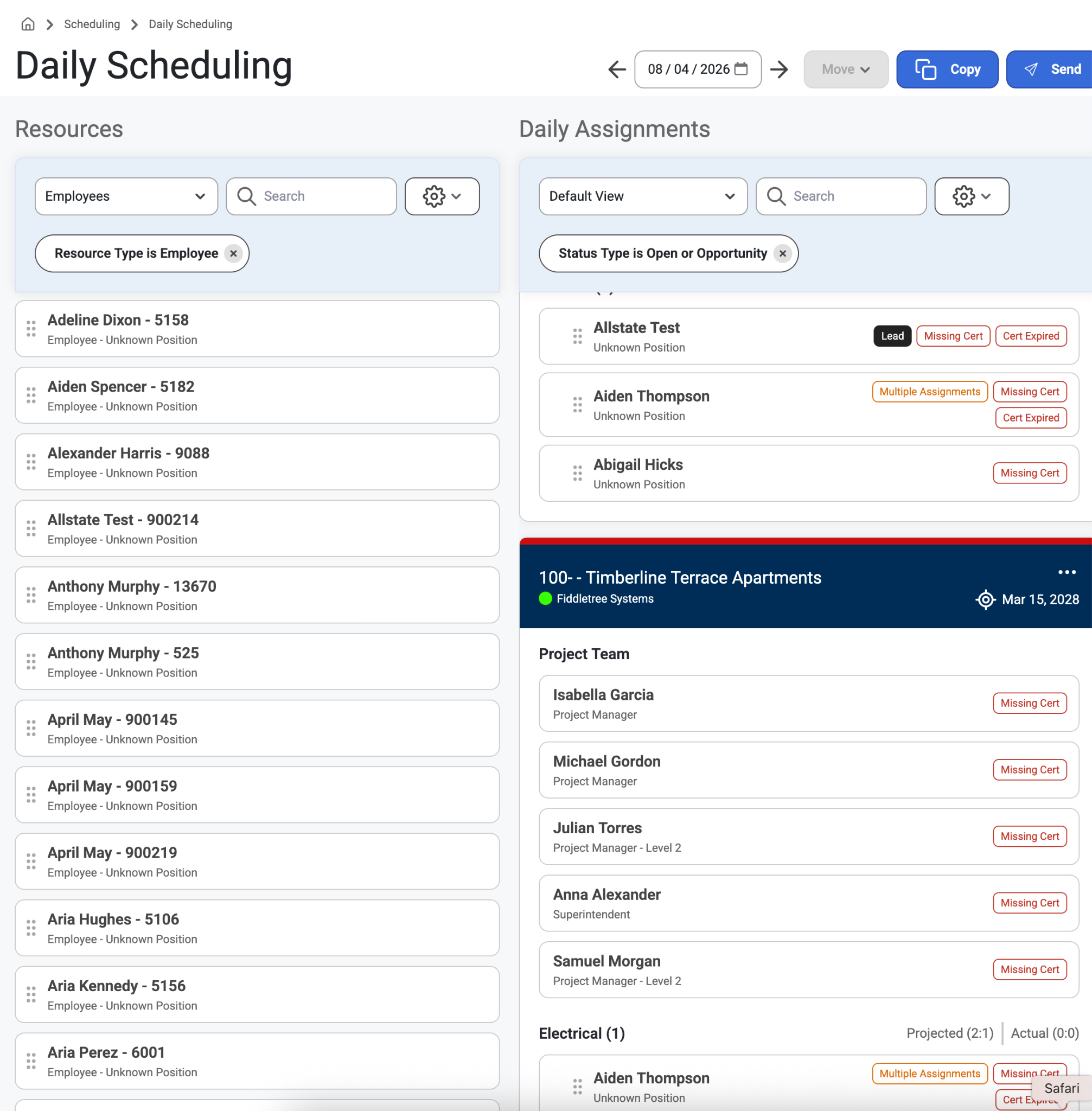
Users can see Labor Ratios in Daily Scheduling. When dragging assignments to a Labor Type on a Job, the actual ratio of Journeyman to Apprentice will appear next to the expected ratio.
If the scheduled ratio does not match the labor ratio set up on the job, the ratio will show in red text.
Was this article helpful?
That’s Great!
Thank you for your feedback
Sorry! We couldn't be helpful
Thank you for your feedback
Feedback sent
We appreciate your effort and will try to fix the article