Employee Setup is composed of positions, certifications, and labor types. This is where tenants can get individual employees set up for jobs and scheduling with the matching certifications. These categories are all synched with ProjectSight. If ProjectSight has not been setup first please do so after reading the following article below:
Read more about it, here: ProjectSight Setup
Positions:
Purpose: Positions are selected during the resource request process and are used to recommend employees matching the positions that are requested. Includes salary/hourly rate fields for future cost projections.
Required: Mandatory for creating employees, employee resource requests, and requiring employee position specific certifications for jobs.
When Creating a Position there are a few important fields that control how each position will work in the system.
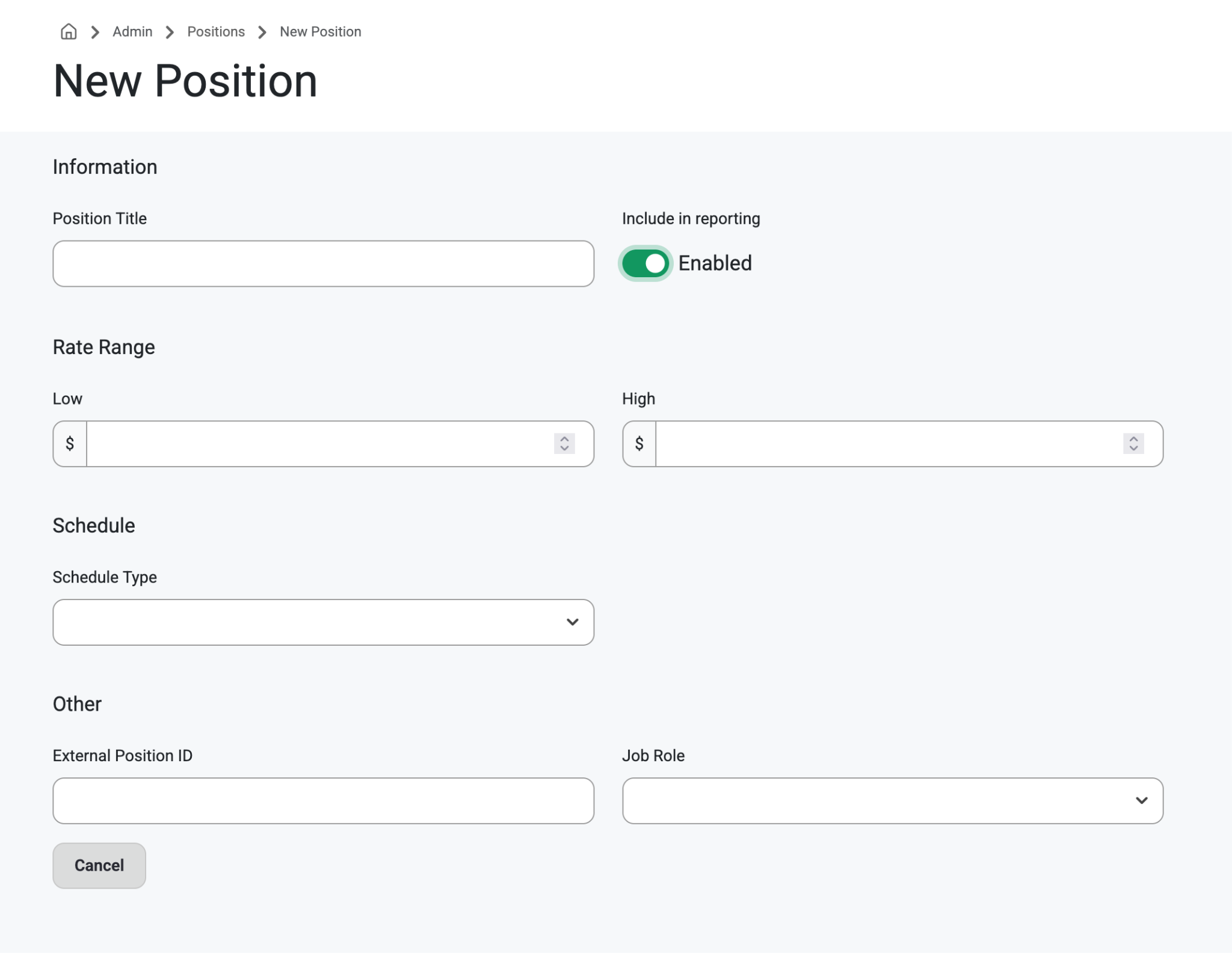
Position Title
Manually type in title
Include in Reporting
Disable this if you would like employees with this positions to be hidden from the reports
Rate Range
Use the arrows to select a rate range
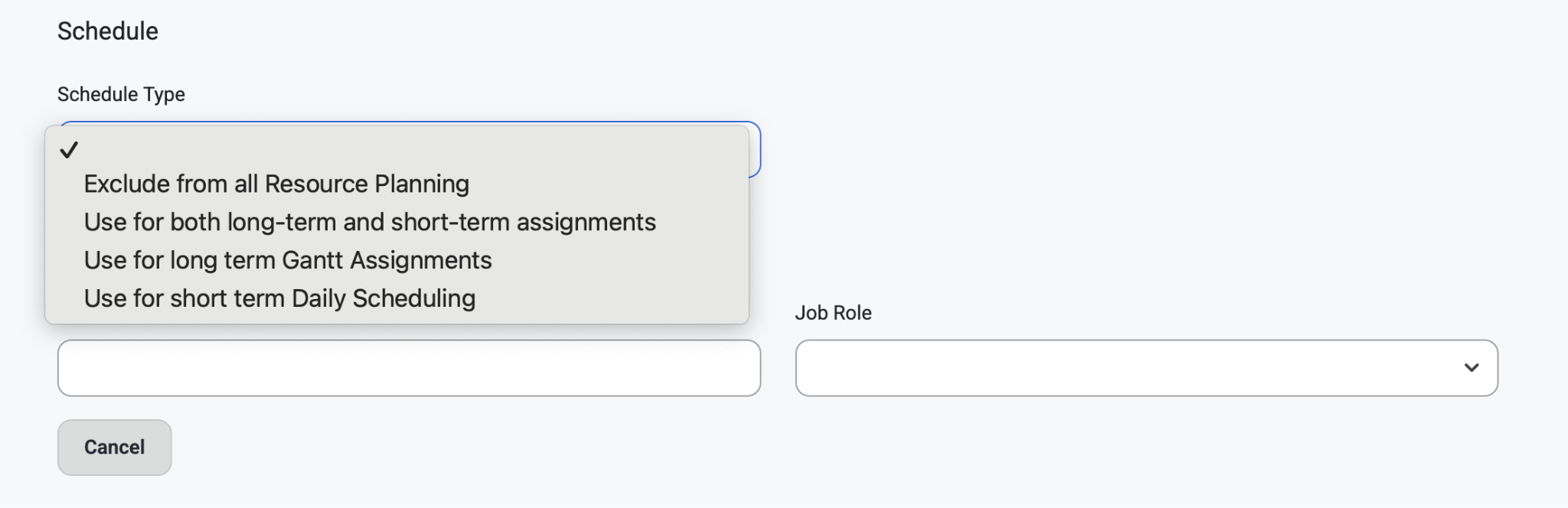
Schedule Type
Exclude from all Resource Planning
Assign this to any position whose employee should be hidden for all reports and assignments
Use for both long-term and short-term assignments
This will show employees with this position in long term and short term assignments
Use for long term Gantt assignments
This will only show employees with this position in long term requests / assignments
This is usually assigned to non field labor positions
Use for short term Daily Scheduling
This will only show employees with this position for short term scheduling on the Daily Scheduling page
This is usually assigned to your field labor positions
Job Role
Apprentice
This is used for calculating the labor ratios on the Daily Scheduling page. Assign this to any of your apprentice positions.
Journeyman
This is used for calculating the labor ratios on the Daily Scheduling page. Assign this to any of your journeyman positions.
Project Manager
This is used for showing who the assigned Project Manager on each job, shows who the Project Team is on the Daily Scheduling page and reports, and can be used to add permissions to jobs without needing a Permission Group setup.
If a User is linked to an Employee which is assigned to a Job as a position with this Project Manager Role selected, that user will be able to View and Request resources to the Job they are assigned.
Foreperson
Employees assigned as Foreperson receive View Only access to assigned jobs.
Superintendent
Employees assigned as Superintendent receive:
View
Edit
Can Request permissions
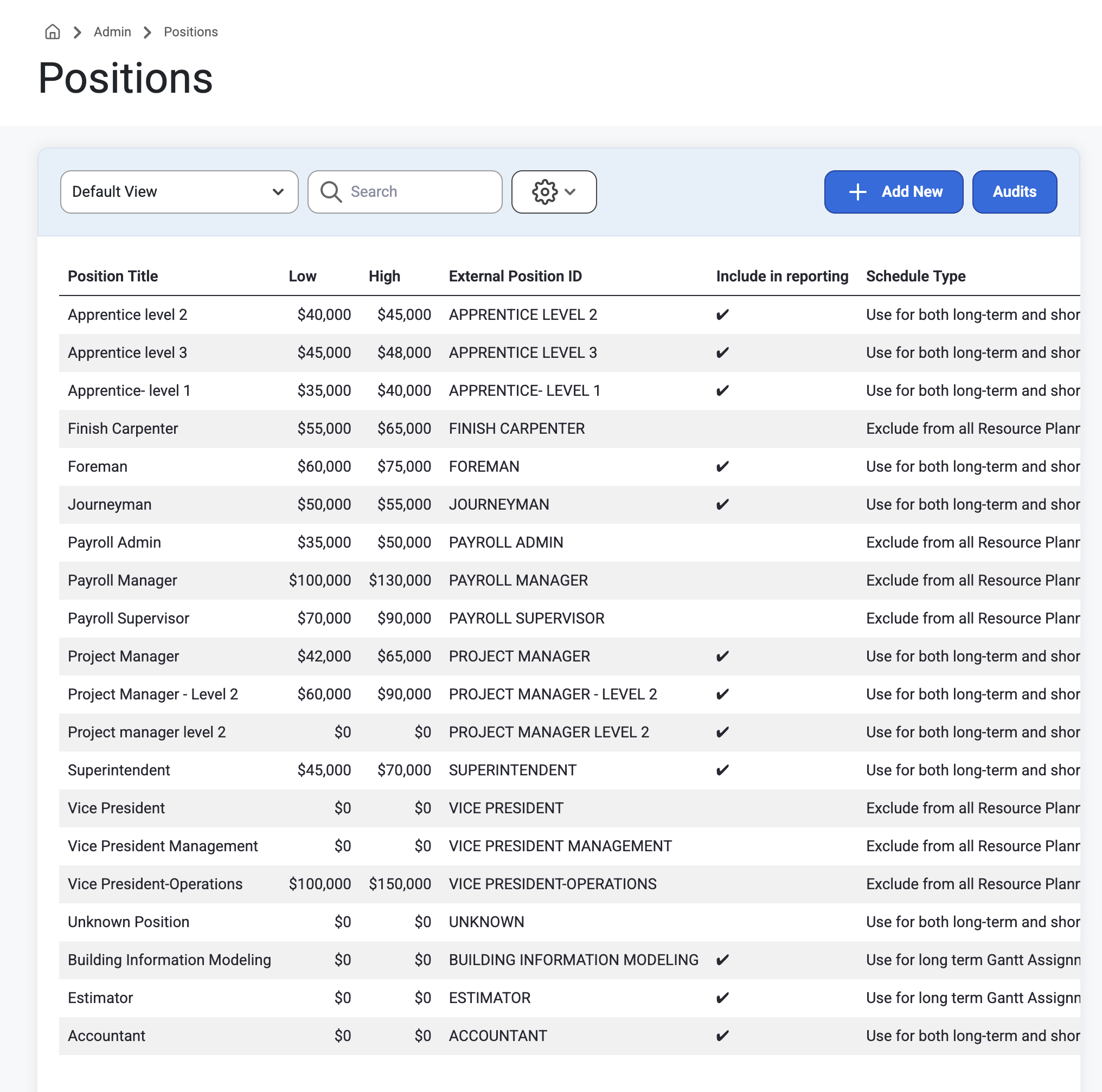
How to: Navigate to Admin>EmployeeSetup>Positions from the top navigation bar. Users will see the employee positions grid. Click into any position to view, update, or delete information.
Position Detail
Position detail has information on that position's title, availability to include in forecasting, rate range,schedule, as well as position ID and role.
Employees
This grid will show a list of all the employees and their personal information assigned to that specific position.
Permissions can be setup in Admin>Organization>Permission Groups. Read about setting up Permissions here:
Link to Article: Permissions & Organization
Certifications:
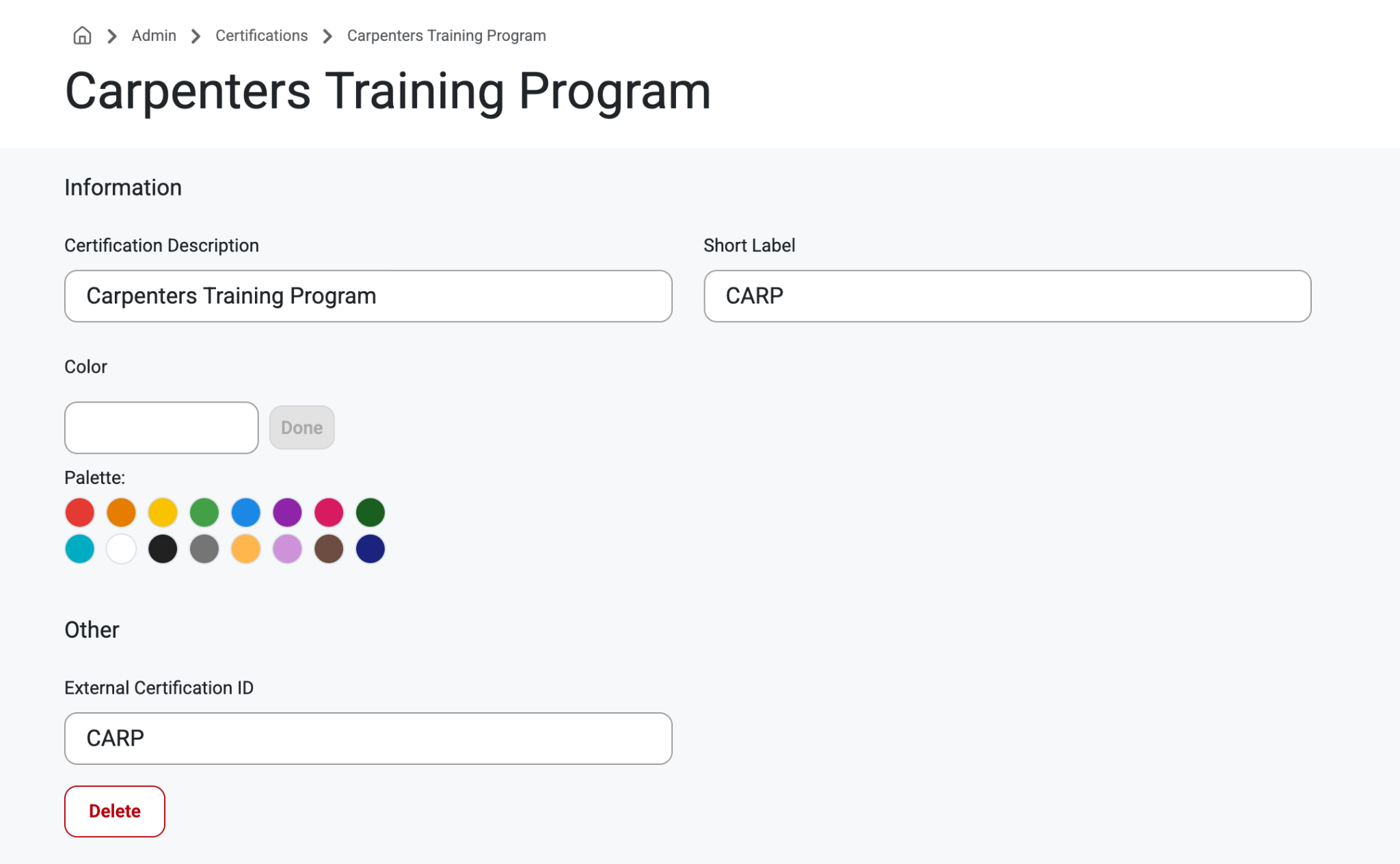
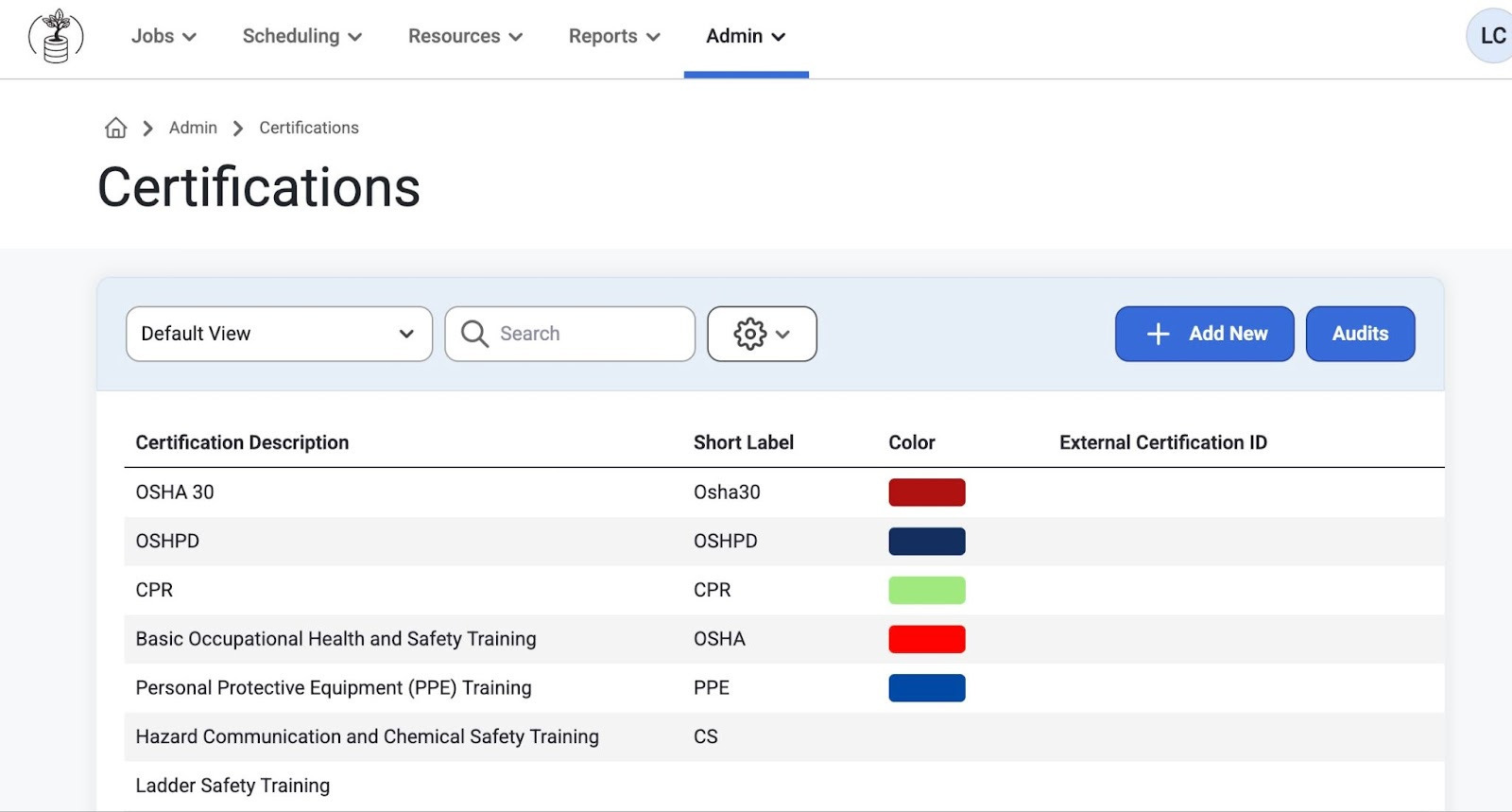
Purpose: Track employee certifications and ensure alignment with job requirements. Once a request is made for a job that has certification requirements, employees that match the certification requirements will be shown on the recommendation grid used when selecting the right resource for the request.
How to: In Addition to checking certifications via Admin>EmployeeSetup>Certifications, users can now find missing certifications in Reports>MissingCertifications. Read more about Missing Certifications in the article below:
Read more about it, here: Missing Certifications
This allows managers to assign employees to jobs that they are qualified for and helps human resources plan for what training and certifications need to be completed by individual employees before assigning and scheduling jobs.
Users can also select ‘+Add New’ to create a new certification with its own color code.
Labor Types:
Purpose: Labor Types can be used to separate resources based on their work. Some frequently used Labor Types include Electrical, Mechanical, or Carpentry
How to: Go to Admin>EmployeeSetup>LaborTypes to view the Labor Types grid.
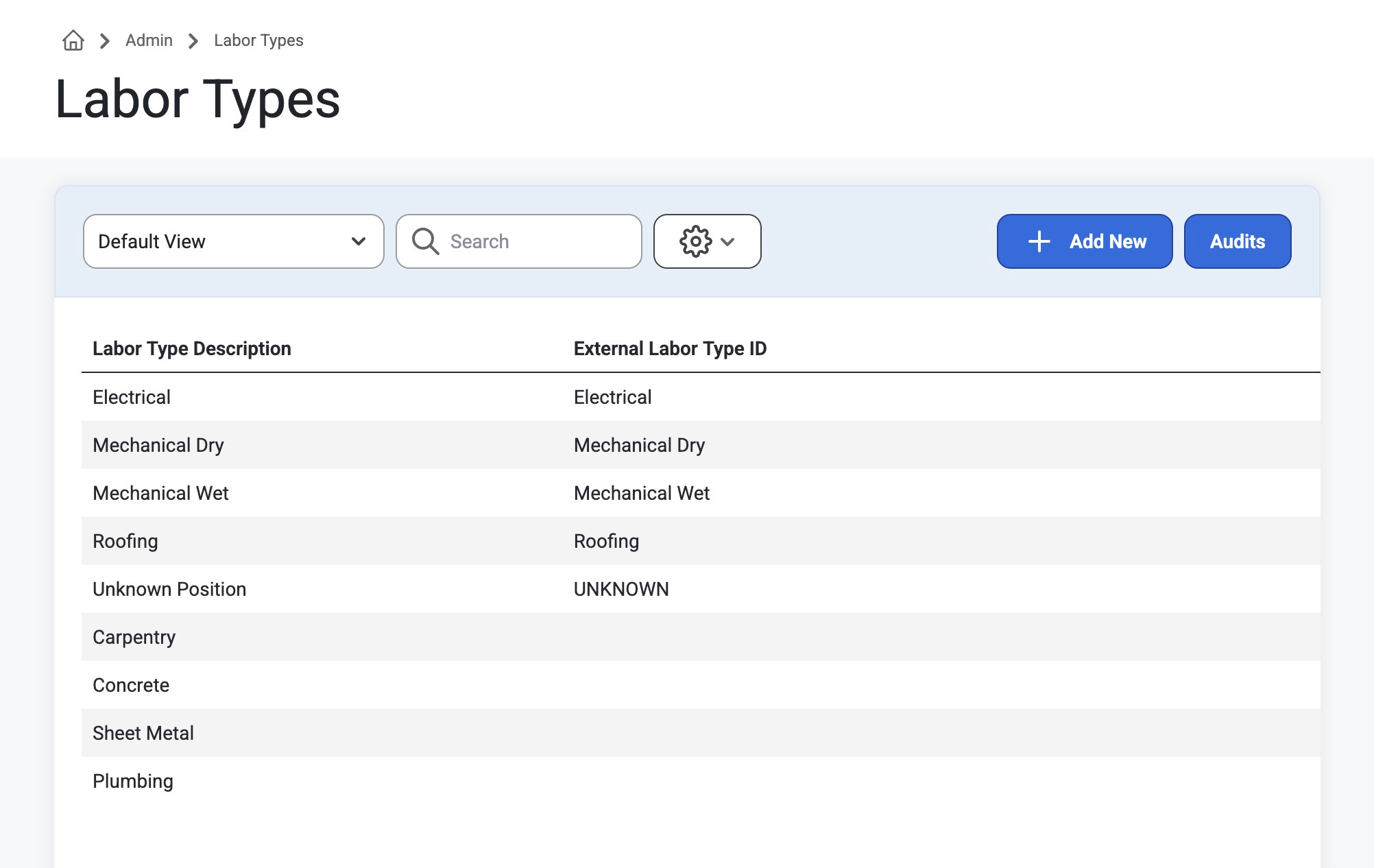
From here, users can search or select ‘Add New’ to create a new Labor Type. Click into any labor type to view or change details.
Was this article helpful?
That’s Great!
Thank you for your feedback
Sorry! We couldn't be helpful
Thank you for your feedback
Feedback sent
We appreciate your effort and will try to fix the article