Asset Categories:
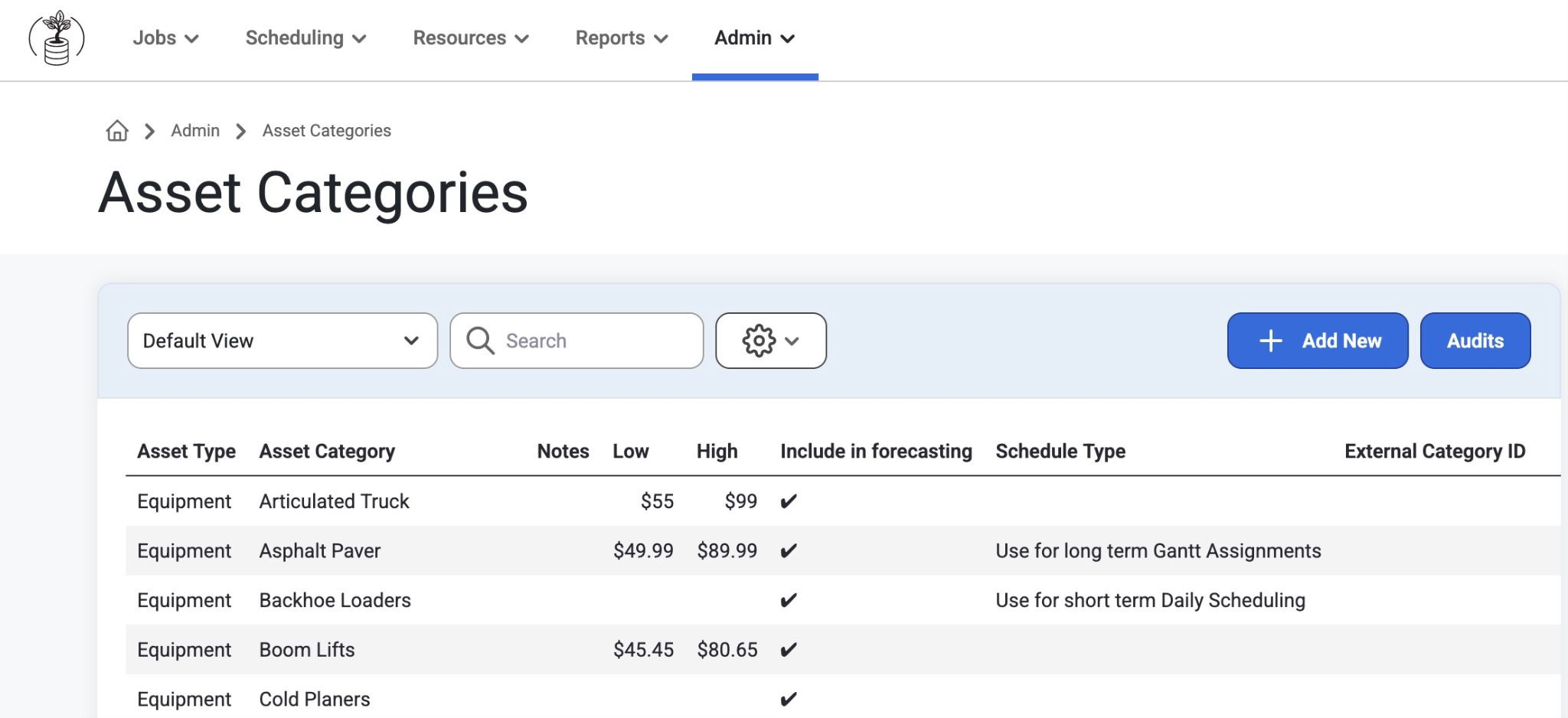
Purpose: Asset Categories are selected during the resource request process and are used to recommend Assets matching the categories that are requested. This includes cost rate fields for future cost projections and can be seen on the Gantts.
Required: Mandatory for creating Assets and Asset resource requests.
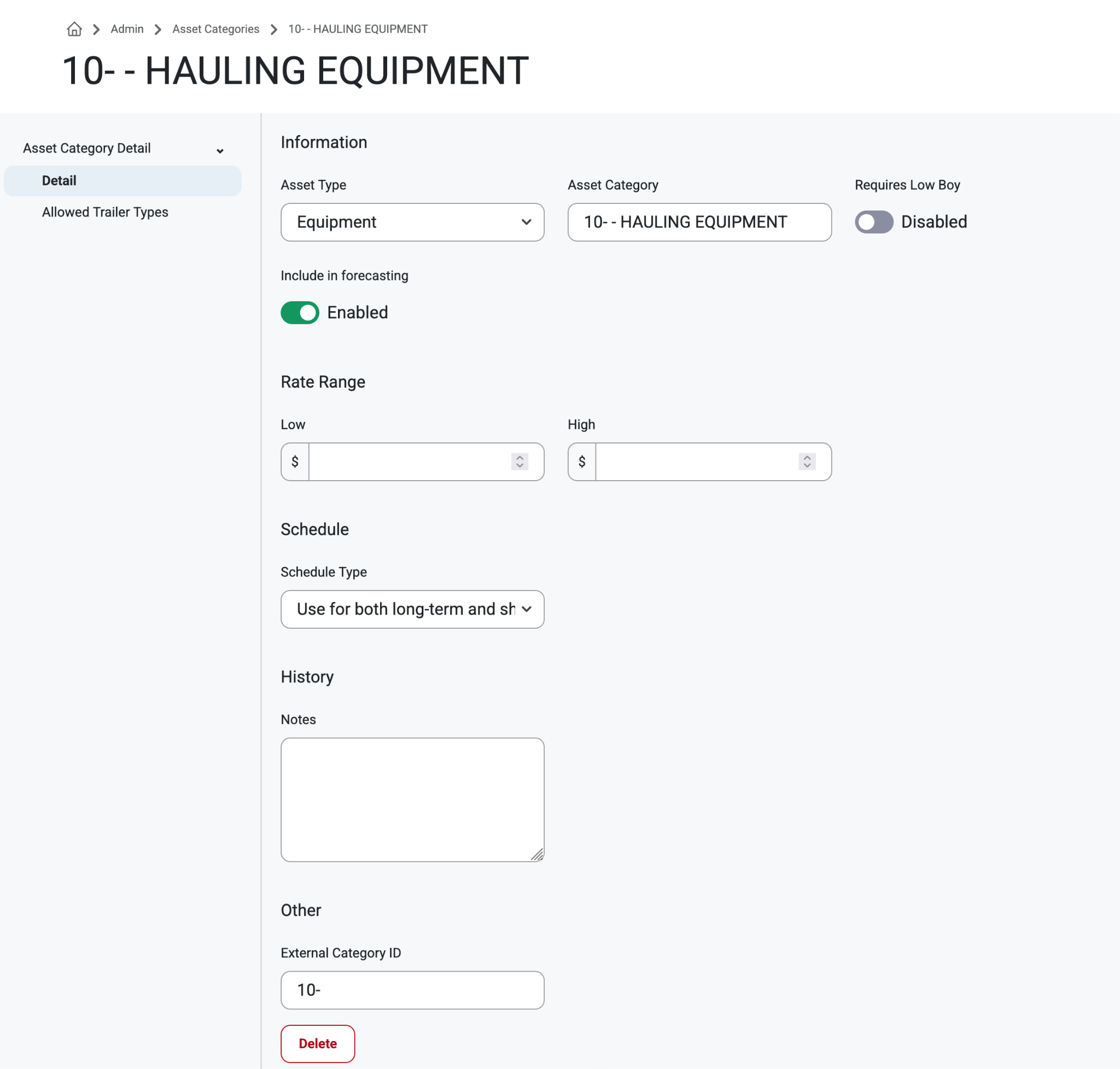
How to: Navigate to Admin>AssetSetup>AssetCategories from the top navigation bar. Click into any asset type on the grid to view, update or delete details like Type, Category, Rate range, schedule, history notes, or ID#. Select ‘Add New’ to create a new asset type.
Option to Enable ‘Include in Forecasting’
Option to Enable ‘Requires Low Boy’
Asset Yards
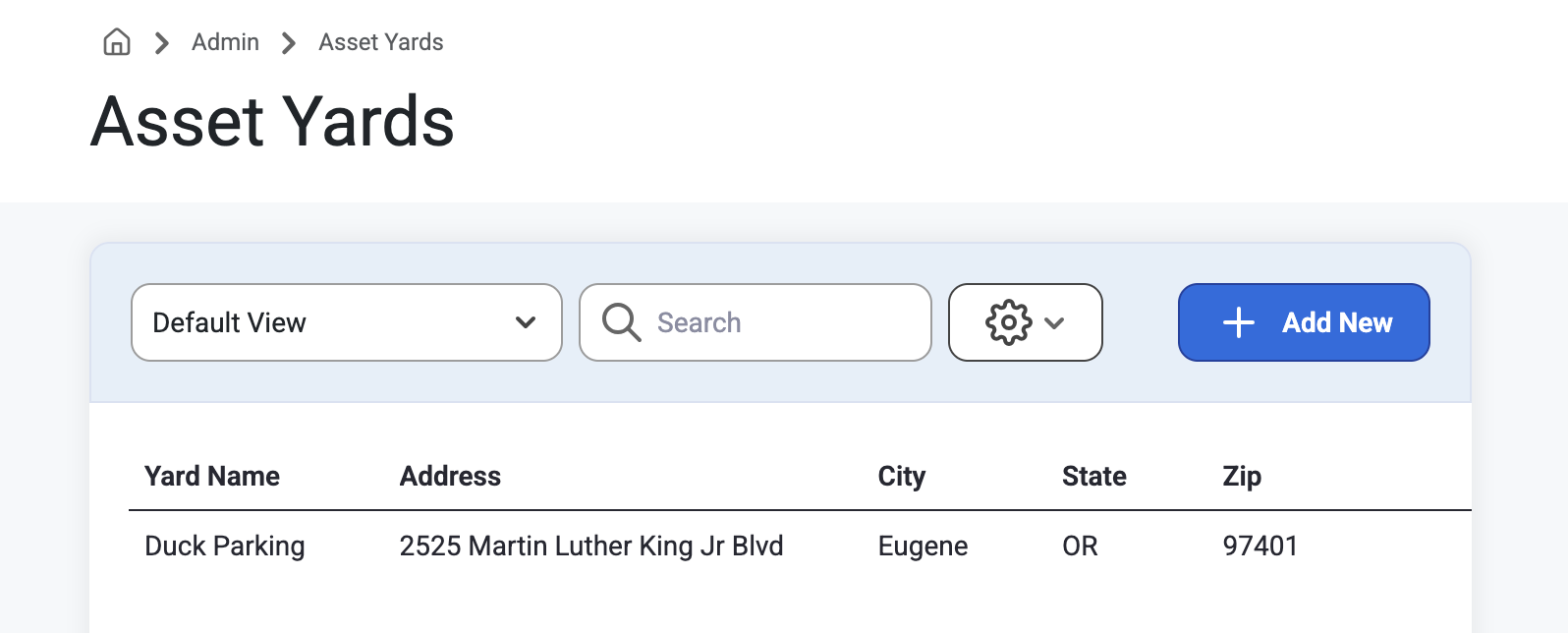
This page displays a grid list of Yards and address information. Select ‘Add New’ to create or click on an Asset Yard to view or edit. (table = Asset Yard). Users can input Yard Nmes, Address Info, and Notes.
Trailer Types
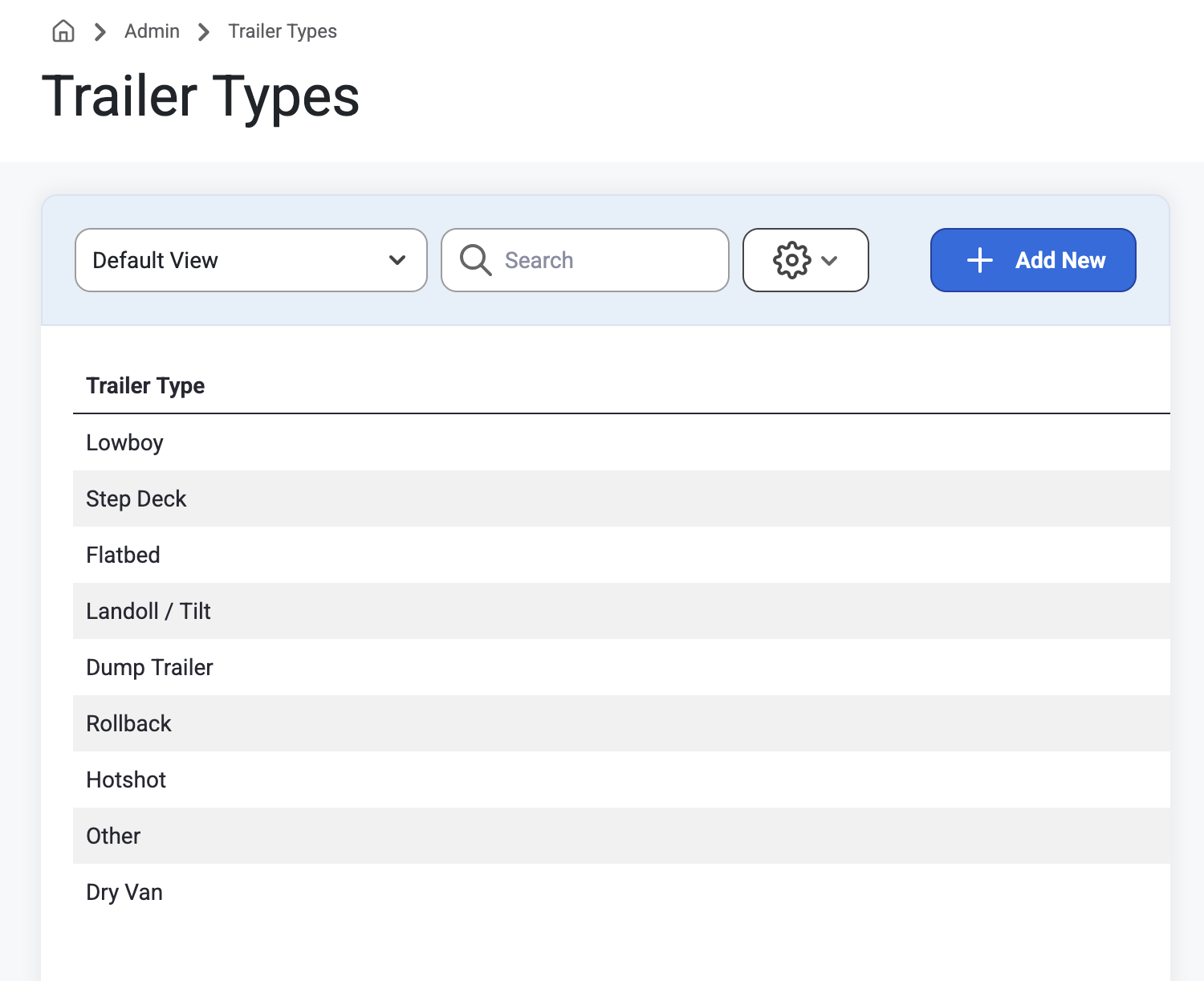
This page displays a list of Trailer Types. Select ‘+Add New’ to create or click a Trailer Type to Edit/Delete. After clicking into this list or selecting ‘+Add New’, users must use the browser back button or click into the breadcrumb trail to exit or cancel as there is only a Delete Button.
Was this article helpful?
That’s Great!
Thank you for your feedback
Sorry! We couldn't be helpful
Thank you for your feedback
Feedback sent
We appreciate your effort and will try to fix the article